 The Executive’s IT Scorecard: A Simple Framework to Evaluate IT Performance and Expose Hidden IT Risks
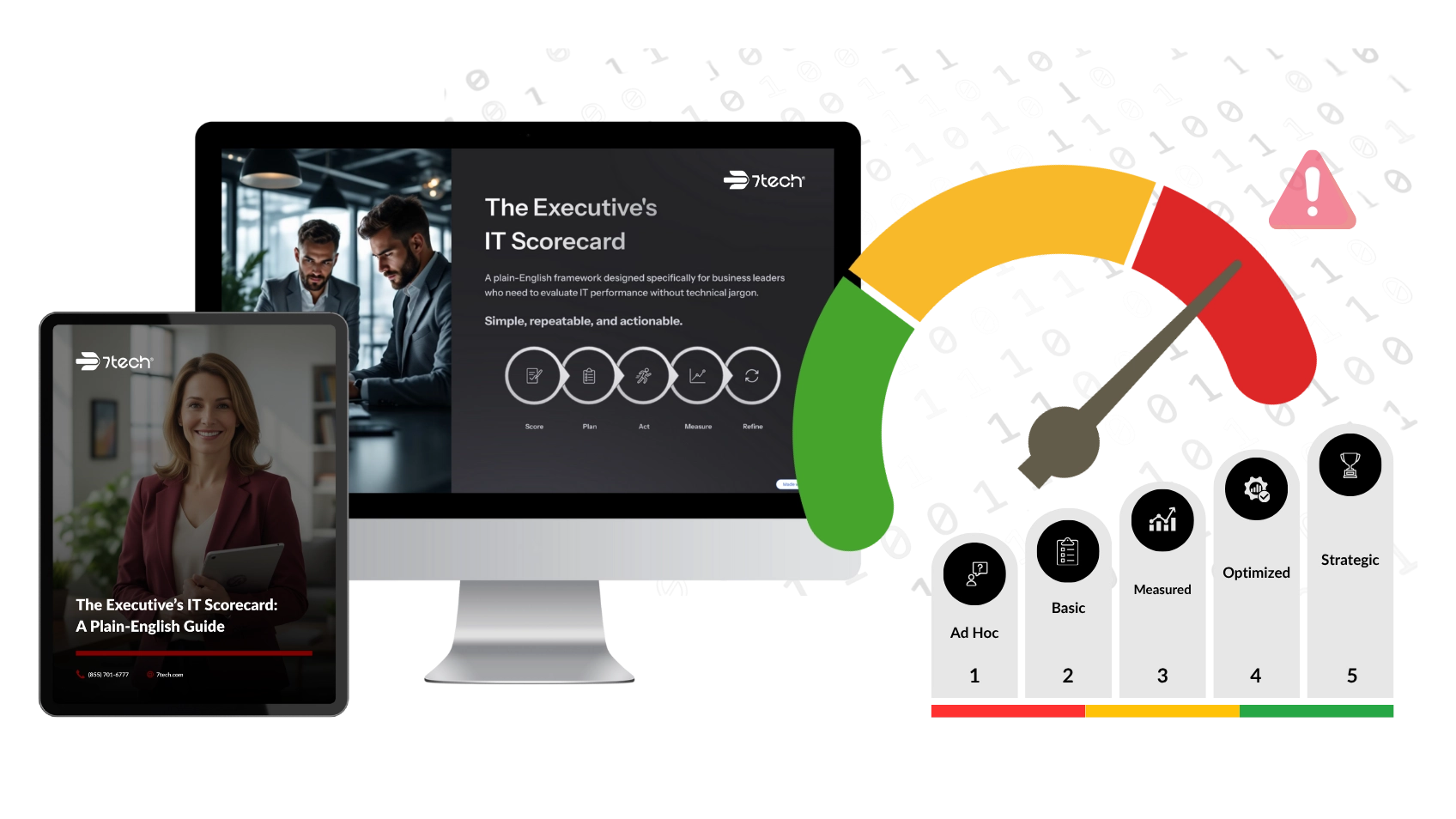
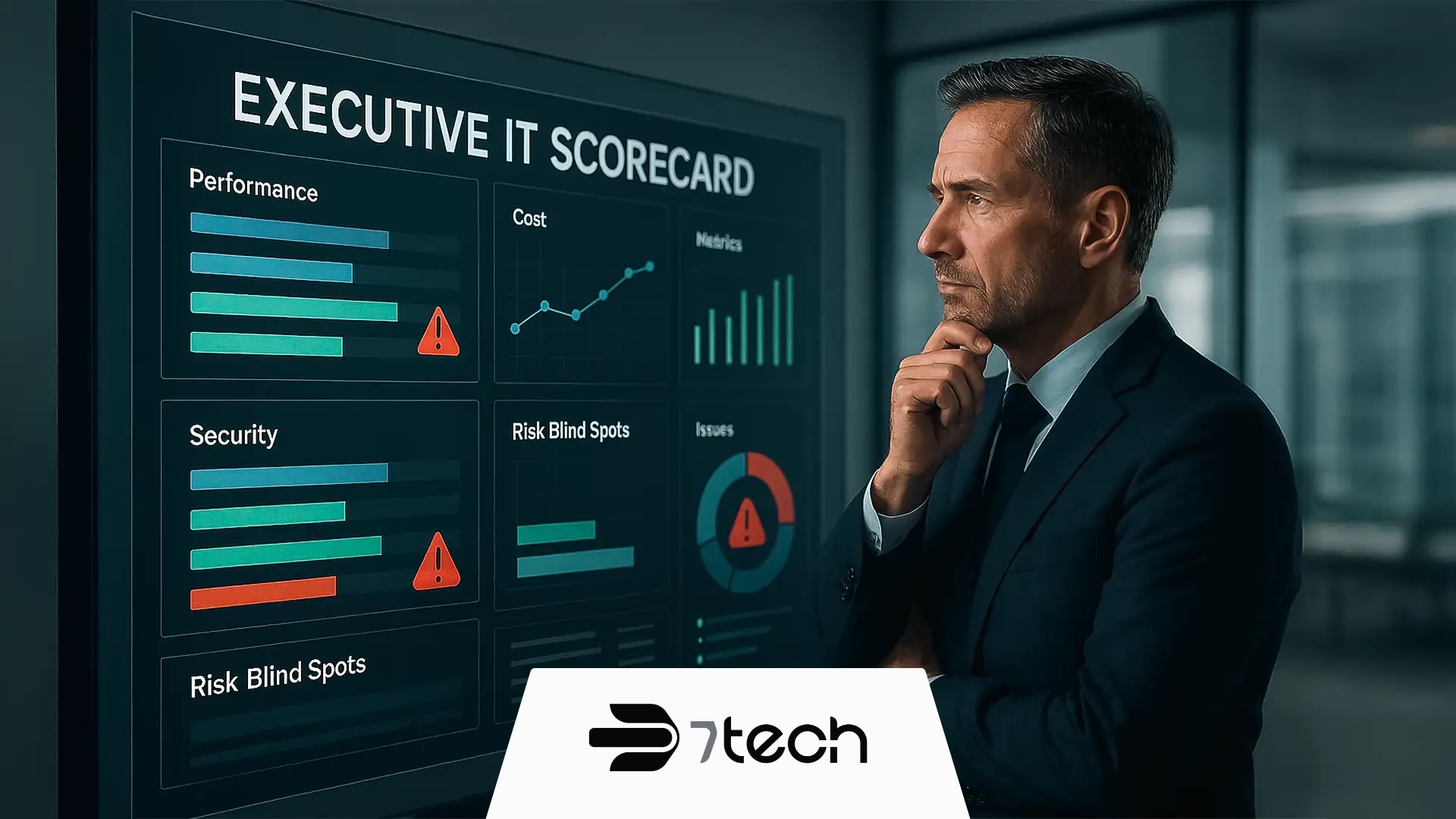
The Executive’s IT Scorecard is a simple, non-technical framework that helps business leaders evaluate their IT performance, identify blind spots, and expose hidden risks in less than 10 minutes. It’s built for executives – not technicians – and gives you a clear, structured way to assess what’s really happening inside your IT environment.
If you’re a business leader in San Antonio, Austin, Dallas, Houston, or the surrounding Texas markets, this tool makes it dramatically easier to understand whether your IT is supporting growth… or quietly holding it back.
And because the scorecard translates technical performance into business-level insights, it helps you:
- Validate whether your IT provider is doing what they say
- Reveal risks before they become expensive
- See where money is being wasted
- Understand where IT is aligned with goals and where it isn’t
It is, quite simply, the easiest IT evaluation framework a Texas executive can use.
Why Evaluating IT Performance Matters
Most of the time, IT looks calm right up until something breaks. That’s why so many leaders get blindsided. Warning signs in IT rarely show up as loud alarms. They hide in the background, quietly stacking up until a failure exposes a gap no one saw coming.
Without a clear, structured way to measure what’s happening behind the scenes, IT turns into a black box – hard to understand, expensive to manage, and full of risk you can’t see. That’s exactly why regular IT risk assessment matters. Strong IT governance plays a major role here, ensuring your technology decisions are aligned, documented, and accountable.
That’s why we built the Executive’s IT Scorecard to turn IT from a “black box” into something you can measure, understand, and lead with confidence.
When you use the scorecard, you get:
- Clarity into where your IT stands today
- Confidence in how your IT dollars are used
- Foresight to prevent costly surprises
How to Evaluate IT Performance in 5 Steps
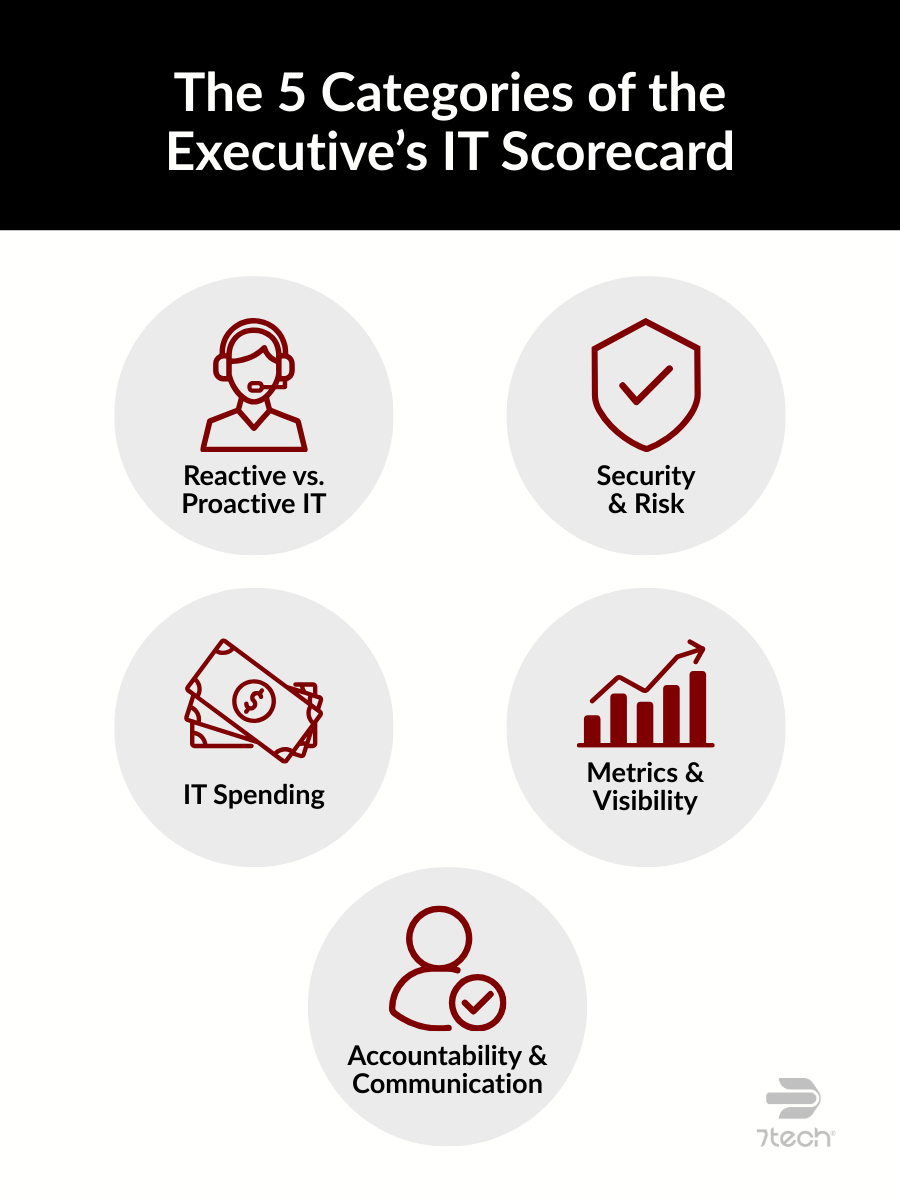
The scorecard evaluates your organization across five core areas that consistently make or break IT performance:
- Reactive vs. Proactive

- Security & Risk Blind Spots
- IT Spending & Overpaying
- Metrics & Visibility
- Accountability & Communication
Each area gets a score from 1 to 5:
- Low score = risk, waste, or blind spots
- High score = strength and alignment
The combined results create your IT health score, a simple snapshot of how well your environment is supporting the business.
It’s the same rhythm you use everywhere else in business:
Score → Plan → Act → Measure → Refine → Repeat
If you want a quick overview of what a strong IT scorecard includes and how the five categories fit together you can check out What a Good IT Scorecard Should Look Like for SMB Leaders. It breaks down the core components in plain English and gives you a helpful starting point before you score your own environment.
Let’s walk through each category.
Category 1: Reactive vs. Proactive IT Management
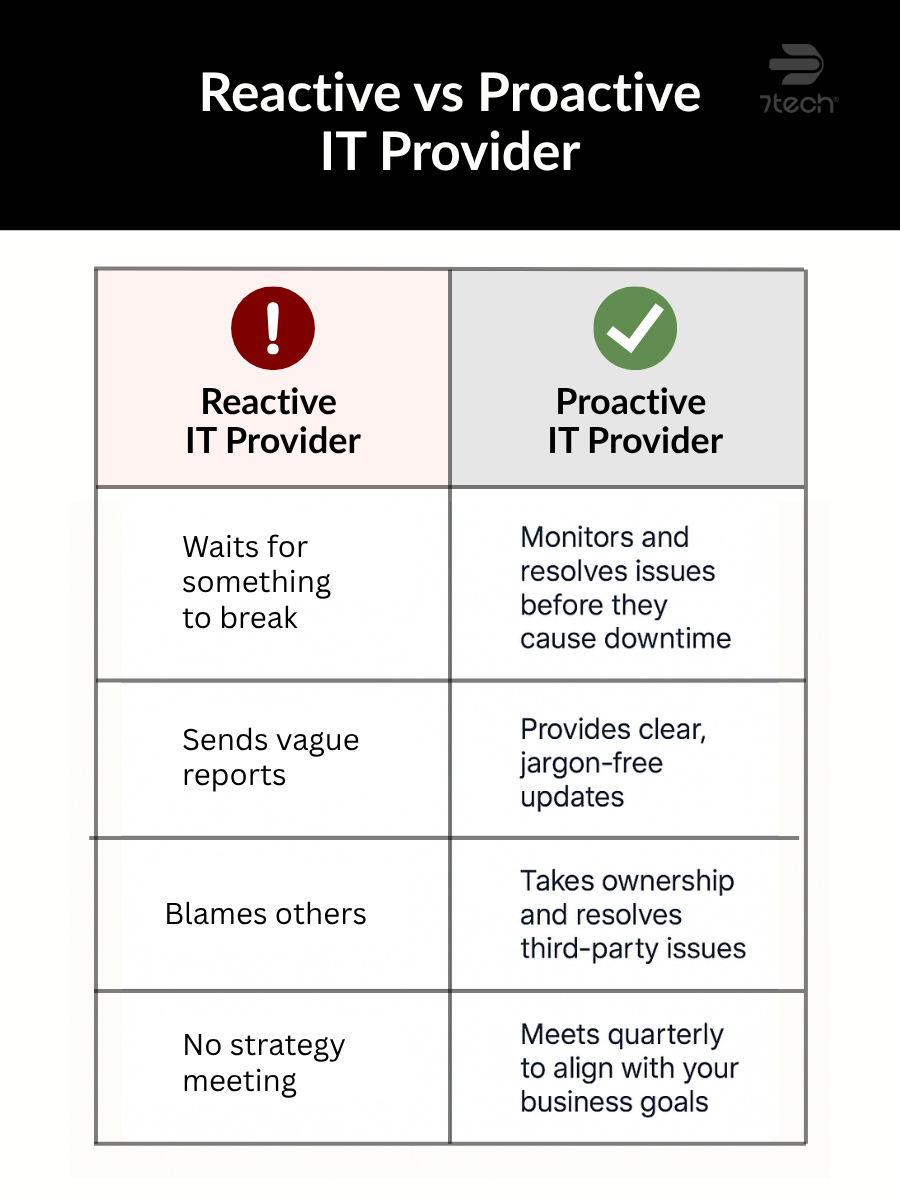
When IT support runs in constant crisis mode, the business feels it through recurring issues, avoidable downtime, and delays that hold teams back. This category reveals whether your IT team is putting out fires or preventing them.
A simple question to ask yourself:
“Does our IT team anticipate and prevent issues, or are they always in crisis mode?”
Here’s What Strong Performance Looks Like
- Strategic IT planning sessions
- A clear technology roadmap
- Scheduled preventive maintenance
- Planning for future growth and capacity
- Regular system health checkups
So how do you spot this without getting technical? Ask when the last preventive task was completed. Not a help desk ticket, a true forward-looking improvement. If no one can answer that, there’s a good chance you’re stuck in reactive mode.
Now take a moment to rate yourself from 1–5:
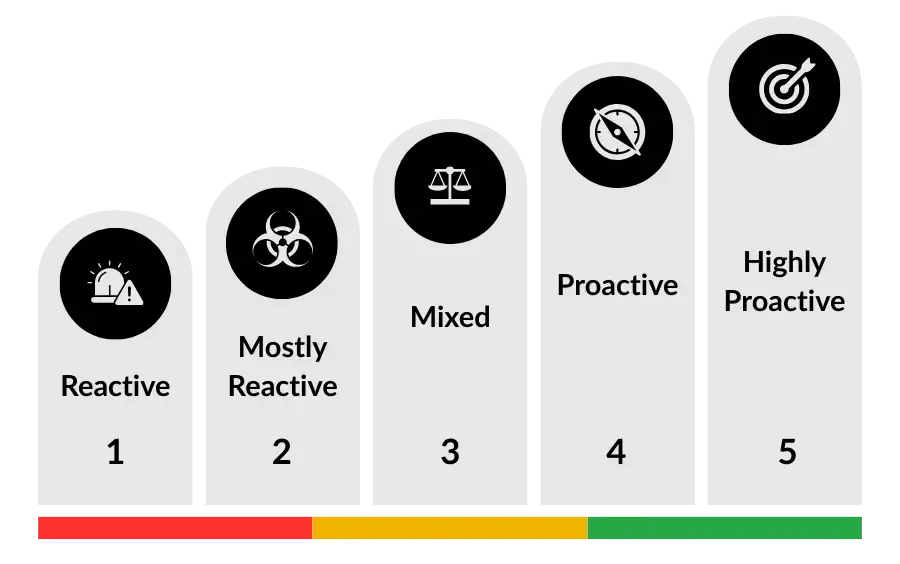
- 1 =Entirely Reactive: Your team only acts when something breaks. IT is a constant source of emergencies and interruptions.
- 5 = Highly Proactive: Highly Proactive: You have a clear plan. Your team actively prevents problems, performs regular maintenance, and aligns technology with future business goals.
Quiet IT can be misleading. Things may look calm on the surface while problems pile up underneath. Most leaders don’t realize there’s a gap until something breaks and you’re blindsided. Let’s break that pattern. Let’s move from firefighting to future-proofing.
Category 2: Security & Risk Blind Spots
This category is all all about protection. Not just from the usual suspects like hackers or ransomware, but also from legal and operational risk.
This isn’t just about firewalls or antivirus. This is about making sure your business isn’t blindsided by preventable incidents like failed backups, outdated systems, or compliance penalties. When security works right, it protects your reputation, operations, and bottom line.
According to the Cybersecurity & Infrastructure Security Agency (CISA), warns that many incidents stem from preventable issues like missing updates, misconfigurations, and untested backups… exactly the kinds of blind spots this category helps you uncover.
The critical question to ask:
“Are our backups tested, is our technology up to date, and are we meeting our legal compliance requirements?”
Here’s What Strong Performance Looks Like
- Backups tested regularly
- Industry compliance actively managed (HIPAA, PCI, etc.)
- Technology kept up-to-date
And if you’re not technical, here’s one way to tell: Ask: “When were our backups last tested and verified by someone other than IT?” If there’s a pause, that’s your answer.
So now, rate yourself from 1–5:
- 1 = Significant Blind Spots: You aren’t sure if backups work, systems are outdated, or you don’t know your compliance status. You are highly exposed to risk.
- 5 = Optimal Security: Backups are tested regularly, technology is kept up-to-date, and compliance is actively managed and documented.
Security failures rarely announce themselves. The warning signs are usually invisible until the damage is already done. A quick “we think backups are fine” is not enough, certainty is what protects your reputation.
Category 3: IT Spending & Overpaying
This category reveals whether your IT budget is tight and strategic… or quietly leaking cash. It’s not just about cutting costs. It’s about making sure your money is doing the work it should.
The core question is straightforward:
“Can you clearly explain what you’re paying for in your IT budget and why?”
Here’s What Strong Performance Looks Like
- No duplicate tools doing the same job
- No unused software subscriptions
- Clear, understandable invoices
- Regular reviews of technology spending
And if you’re not technical? Ask to see last month’s IT invoice and try to explain it back to yourself. If it doesn’t make sense fast, that’s a sign.
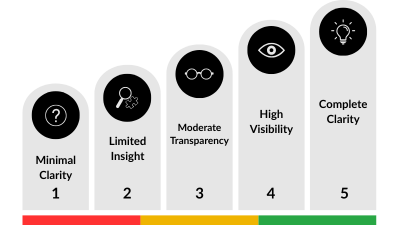
Now, rate yourself from 1–5:
- 1 = Minimal Clarity: You have little visibility into your IT costs. You’re not sure if you’re getting good value for your money.
- 5 = Complete Clarity: You have total transparency. Every cost is justified, documented, and regularly reviewed for efficiency.
IT spend shouldn’t feel like a mystery bill. If you can’t explain the invoice in plain English, there’s a good chance you’re overpaying. Good IT partners make costs easy to understand, align spending with goals, and eliminate waste.
Category 4: Metrics & Visibility
If you can’t measure IT performance, you can’t manage it. This is where IT starts acting like other departments: data-driven, performance-minded, and transparent.
The critical question to ask here is:
“Do we have scorecards, benchmarks, and regular reports to track IT performance?”
Here’s What Strong Performance Looks Like
- Dashboards to track important metrics
- Monthly or quarterly reporting
- Benchmarking against industry standards
If you’re not technical, here’s how to spot misalignment: Ask: “What metrics are we tracking for IT?” If the answer is vague or defensive, you’re likely flying blind.
Now, take a moment to rate from 1–5:
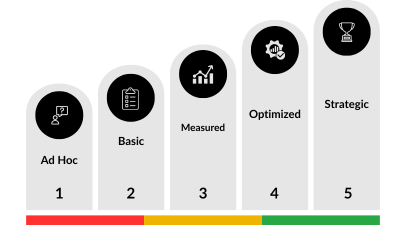
- 1 = Ad Hoc : You have no systematic way of tracking IT performance. You only know things are working (or not working) based on complaints.
- 5 = Strategic: IT performance is tracked systematically, compared to benchmarks, and reported to leadership consistently.
When IT performance is invisible, risks grow quietly. Good reporting creates accountability, eliminates surprises, and helps leadership make smarter decisions. You shouldn’t need a crisis to know what’s going on.
Category 5: Accountability & Communication
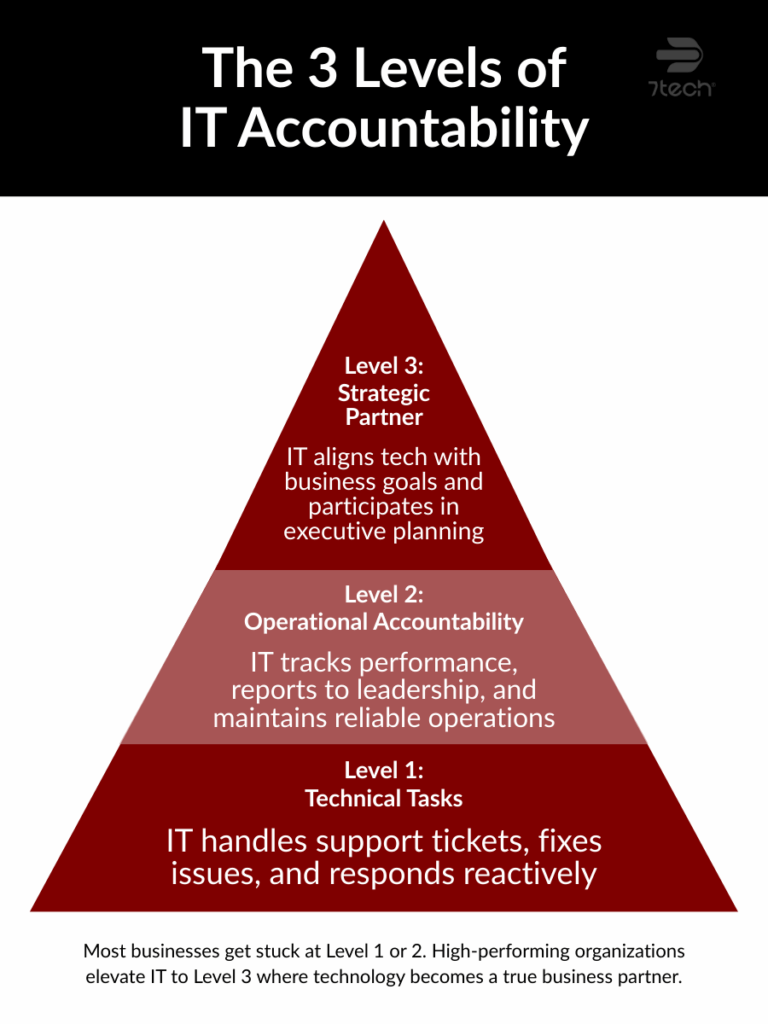
This final category looks at whether IT is a silo or a true partner in your business. At its core, this category reflects the health of your IT governance and how well technology leadership supports the goals of the organization. When IT is plugged into the strategy of the business, things run smoother, faster, and smarter.
This applies whether you have internal IT or use IT outsourcing – the expectations for alignment are the same.
Here’s the critical question to ask:
“Does our IT team take ownership of results and align technology decisions with the company’s strategy?”
Here’s What Strong Performance Looks Like
- IT leadership present in executive meetings
- Technology plans tied to business goals
- Understanding of revenue drivers
- Clear communication across departments
Not sure where you stand? Ask: “Is our IT team setting direction or just responding to requests?”
And if you’re ready to open that conversation or push your provider toward greater transparency, here’s a helpful list of questions to ask your IT provider to get clear, straightforward answers.
Lastly, rate from 1–5:
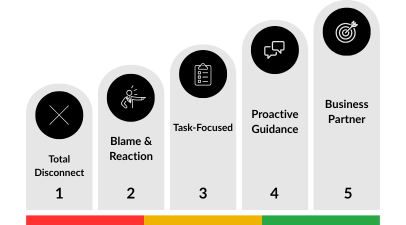
- 1 = Total Disconnect: IT operates in a silo. They seem disconnected from business goals and take little ownership of business outcomes.
- 5 = Business Partner: IT is fully integrated into the business strategy. They take responsibility for outcomes and communicate effectively across all departments.
IT can’t support what it doesn’t understand. When technology decisions and business goals move together, everything runs smoother because great IT doesn’t just support the business. It helps drive it.
What Your Score Really Means (A Simple Way to Evaluate IT Performance)
Once you complete all five categories, the picture becomes clear fast:
- 4–5 = Strong: solid practices and alignment
- 2–3 = Needs Attention: gaps worth addressing in the next 90 days
- 1 = At Risk: critical vulnerabilities that need immediate action
And here’s where it gets important: even smart, experienced executives can miss serious IT failures. Likeability doesn’t equal performance. Silence doesn’t equal success. And the real cost often shows up later in your budget, your reputation, or your customer experience, not on a dashboard.
What to Do After Scoring Your IT
Once you’ve worked through all five categories and totaled your scores, the next step is to actually use those insights. Whether your results were strong or revealed a few red flags, the goal isn’t to judge. It’s to get clarity and take meaningful action.
Here’s where to go from here:
-
Review your scores with leadership
Share the results with your executive team or decision-makers. Talk openly about which areas scored high, which ones need attention, and where the biggest risks or opportunities are. These conversations often reveal gaps in IT governance as well, especially when ownership or decision-making hasn’t been clearly defined.
-
Start driving improvements
Use your scores to begin better conversations with your internal team or current provider. The scorecard makes it easy to identify gaps and hold people accountable in a clear, constructive way.
-
Consider getting a competitive bid
If your scorecard raised questions about cost, visibility, or risk, this is a good moment to compare your current support to what a modern Managed IT Services provider delivers: proactive monitoring, strategic planning, predictable pricing, and a clear roadmap tied to your business goals.
Why Businesses Choose 7tech
Texas executives choose 7tech because:
- We speak business, not tech jargon
- We prioritize transparency and accountability
- We help uncover risks most providers miss
- Our ethics and integrity lead the industry
- We protect budgets and reputations, not just networks
Choosing the right IT company matters, especially when you rely on technology to run your business. If your business depends on IT (and today, every business does), you deserve clarity.
FAQs on How to Evaluate IT Performance
1. What’s the simplest way to evaluate IT performance as a business leader?
Use a structured tool like the Executive’s IT Scorecard to evaluate five key IT areas in minutes. You don’t need technical expertise, just honest answers.
2. How often should I evaluate IT performance?
A quarterly review keeps risks from building up and ensures IT stays aligned with your goals. It also helps catch issues before they become expensive.
3. What are the warning signs of poor IT performance?
Recurring issues, outdated systems, vague invoices, or untested backups are major red flags. “Quiet IT” with no reporting is another sign of hidden problems.
4. How do I evaluate IT performance if I’m not technical?
Ask simple questions your provider should answer in plain English. If they can’t explain something clearly, that’s a performance issue on its own.
5. Does evaluating IT performance help reduce costs?
Yes, businesses often find they’re overpaying for unused tools, duplicate licenses, or outdated services. A performance review highlights what’s worth keeping and what’s not.
Final Thoughts on How to Evaluate IT Performance with Confidence
The Executive’s IT Scorecard gives you something most Texas businesses don’t have:
real visibility.
It helps you uncover IT blind spots, understand your true IT health score, and lead with confidence without needing to decode technical jargon.
If you want clarity, accountability, and a second opinion from a team that puts integrity first…
Schedule your competitive bid with 7tech.
It’s no pressure, just insight.

Neal Juern, CEO of 7tech, helps business leaders take control of their IT and strengthen cybersecurity without the complexity. Known for his straight-talk, business-first approach, Neal has guided hundreds of executives toward smarter, safer operations through Managed IT Services and Managed Security Services that make sense to people outside the IT department.