Managed IT Services Pricing for Growing Companies
Last updated: March 13, 2026
Managed IT services pricing is usually shaped by service model, security scope, compliance needs, support hours, and environment complexity more than by a single universal rate card. For growing companies, the most useful question is not only “how much do managed IT services cost,” but “what level of accountability, coverage, and predictability are included in that monthly number.”
If you are comparing providers for a 30-person, 75-person, or 150-person organization, the key is to evaluate pricing in context. A basic support contract, a security-first managed services agreement, and a compliance-aligned co-managed arrangement may all be priced differently because they are solving different business problems.
Managed services are only one part of a company’s technology budget. Our IT budget planning guide shows how support costs fit alongside security, compliance, hardware, software, and planned improvements.
This article focuses on managed IT pricing models, contract inclusions, and provider comparisons. For more detail on costs beyond the monthly fee, see our guide to managed IT services cost.
How Much Do Managed IT Services Cost
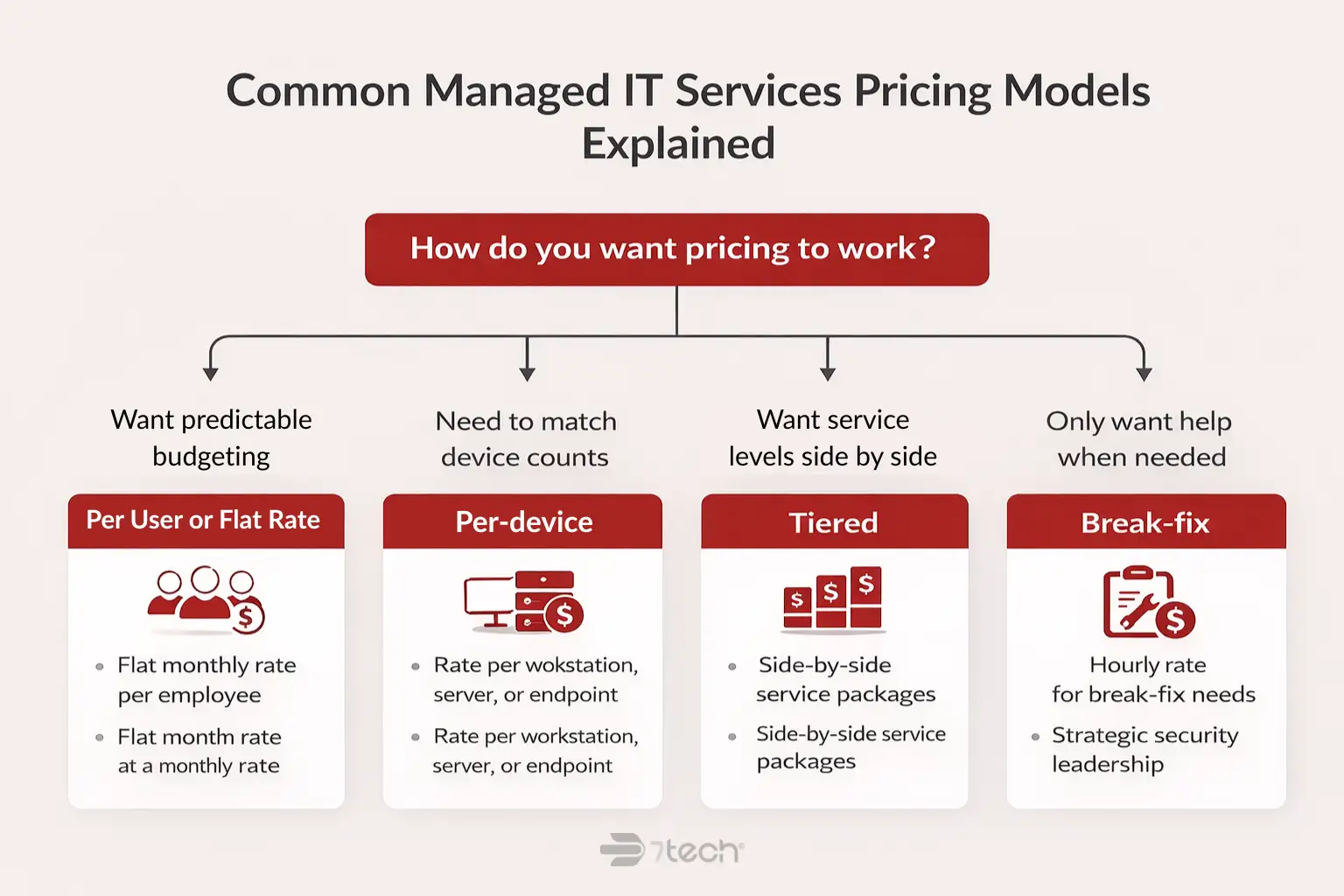
Managed IT services pricing varies widely because providers charge in different ways and include different levels of support. In practice, companies will usually see pricing presented as per-user, per-device, tiered, flat-rate monthly, or break-fix hourly support.
Because service scope is not standardized across the industry, responsible buyers should be cautious with generic market-wide price claims. A company with multiple offices, cloud applications, compliance obligations, and stronger cybersecurity requirements will almost always pay more than a single-location office with limited support needs.
| Pricing format | How it is usually presented | What changes the price | Best use |
|---|---|---|---|
| Per-user | Monthly rate per employee or supported user | Security stack, help desk scope, Microsoft 365 support, compliance, remote workforce needs | Companies that want predictable budgeting |
| Per-device | Monthly rate per workstation, server, network device, or endpoint | Server count, device mix, site complexity, monitoring requirements | Mixed environments with uneven device usage |
| Flat-rate monthly | Single recurring monthly agreement for defined coverage | Included services, response expectations, after-hours rules, strategic oversight | Growth-oriented companies that want simplicity |
| Tiered | Good, better, best service packages | What each service tier includes or excludes | Organizations comparing support levels side by side |
| Break-fix hourly | Pay only when something breaks or a project is needed | Issue severity, after-hours work, onsite support, emergency remediation | Limited support needs with low demand for proactive oversight |
Here is what that often looks like by company size:
- 30 employees may prefer a simple per-user or flat monthly agreement if they have no internal IT and want a single partner for support, Microsoft 365 administration, vendor coordination, and baseline security.
- 75 employees often need pricing that accounts for a hybrid workforce, more devices, multiple SaaS platforms, tighter response standards, and more mature cybersecurity controls.
- 150 employees may need co-managed support, compliance guidance, documented standards, executive reporting, and more advanced security operations, which usually pushes pricing beyond “basic MSP” service levels.
The bottom line is straightforward. Cost usually rises when complexity, risk, and required accountability rise.
Common Managed IT Services Pricing Models Explained
Per-user pricing
Per-user pricing charges a recurring monthly amount for each employee or supported user. It is often the easiest model for executives to understand because it aligns with headcount and makes planning cleaner as the company grows.
Best for: predictable budgeting and businesses with a mobile or hybrid workforce.
Where confusion happens: some providers still bill separately for servers, projects, after-hours support, or security tools, so the “per-user” label can sound simpler than the contract actually is.
Per-device pricing
Per-device pricing charges based on each supported asset such as laptops, desktops, servers, firewalls, or other endpoints. This can work well when device counts are easier to track than user counts.
Best for: mixed environments, shared workstations, or operations with specialized device footprints.
Where confusion happens: the model can understate support needs in organizations where one employee uses several systems or where cloud administration and vendor coordination are major parts of the workload.
Tiered pricing
Tiered pricing offers predefined service levels. One tier may cover monitoring and patching, another may add help desk and Microsoft 365 support, and a higher tier may add security, compliance guidance, or strategic planning.
Best for: companies that want a visible side-by-side comparison of service levels.
Where confusion happens: buyers may compare tier names rather than actual coverage, response commitments, and exclusions.
All-inclusive flat-rate pricing
Flat-rate pricing bundles a defined scope of services into a single monthly agreement. For growing companies, this is often the cleanest model because it supports forecasting and reduces billing surprises when the scope is clearly documented.
Best for: growth-oriented companies that value predictability, board-level clarity, and fewer billing variables.
Where confusion happens: “all-inclusive” rarely means literally everything. Projects, hardware, licensing, and specialized compliance work may still sit outside the monthly agreement.
Break-fix pricing
Break-fix means you pay when something goes wrong or when you request work. It can appear less expensive at first because there is no broad recurring commitment.
Best for: organizations with limited support needs and low expectations for proactive service.
Where confusion happens: this model often gives the least budgeting certainty and the weakest alignment with resilience, governance, and ongoing security maturity. For many companies, break-fix vs managed services becomes a question of predictability, not just headline cost.
Many growing companies prefer simpler, flatter pricing because finance and operations teams need fewer moving parts. When budgeting, clarity usually matters as much as the number itself.
What Is Included in Managed IT Services Pricing
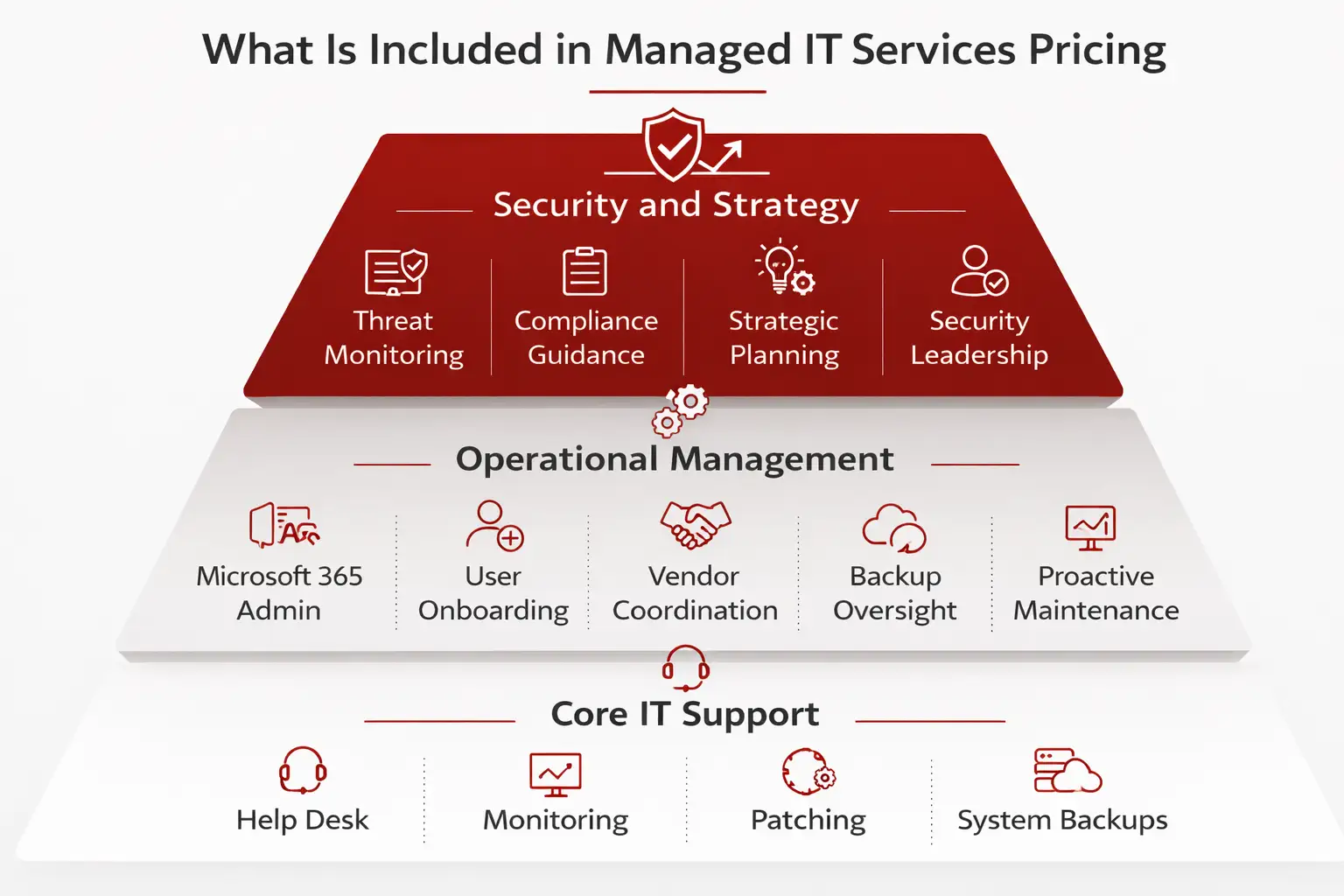
A managed IT agreement commonly includes ongoing support and operational maintenance rather than one-time transformation work. Standard inclusions often cover the day-to-day activities required to keep systems stable, users supported, and core business tools functioning well.
Common inclusions may include:
- Help desk support and an IT service desk
- Remote monitoring and alerting
- Patching and routine maintenance
- Backup oversight
- Microsoft 365 administration and support
- Vendor coordination with internet, print, software, and telecom providers
- User onboarding and offboarding
- Basic cybersecurity controls such as endpoint protection, multifactor authentication support, and email security
- Strategic guidance, roadmap input, or vCIO support in more mature agreements
That said, not every provider includes the same level of proactive oversight. One MSP may mainly respond to tickets. Another may combine support with policy guidance, executive reporting, and tighter operational discipline.
It also helps to separate standard included support from advanced security and compliance services. Higher-accountability services may include live threat monitoring, vulnerability reporting, hardening, documented compliance support, or strategic security leadership. Those needs are usually closer to managed security or compliance services than basic help desk coverage.
Provider comparison checklist
- Is help desk support included every month
- Are monitoring and patching included for all endpoints and servers
- Is backup oversight included, or only the backup tool
- Is Microsoft 365 administration included
- Is vendor management included
- What cybersecurity controls are standard
- Is strategic planning included quarterly or annually
- What is proactive, and what is only reactive
“You can trust the advice they give you.”
Joan Lovejoy, Principal, Trinity Real Estate Finance
What Drives the Cost of Managed IT Services
Managed IT pricing rises when the environment becomes harder to support, secure, govern, or document. In business terms, cost usually goes up when complexity, risk, or required accountability goes up.
- Number of users
More users usually means more support demand, more identities to secure, and more onboarding and offboarding activity. - Number of devices and locations
Multiple offices, field devices, servers, and network equipment add operational overhead and coordination requirements. - Hybrid and remote workforce complexity
Remote access, home networks, mobile devices, and identity controls increase support scope and security expectations. - Cloud footprint
Microsoft 365, SharePoint, Azure, SaaS sprawl, and cloud file storage often shift effort from hardware upkeep to identity, permissions, and governance. - Compliance requirements
Healthcare, finance, legal, defense-adjacent, and other regulated businesses typically need more documentation, policy alignment, and audit readiness support. For example, a healthcare group may need more formal oversight than a basic office environment. That is why industry guidance such as the HHS healthcare cybersecurity framework guide matters in budgeting discussions. - Security maturity needs
Threat monitoring, hardening, vulnerability remediation, and stronger controls require more capability than ordinary device support. - After-hours expectations
Extended coverage, emergency escalation, and onsite response outside normal hours change staffing and contract structure. - Internal IT involvement
Co-managed support can be efficient, but it still requires clear division of responsibility, shared tools, and governance alignment. - Project intensity and legacy systems
Older environments, technical debt, and frequent remediation projects tend to increase both ongoing effort and one-time costs.
Security expectations also influence pricing maturity. Frameworks such as the CISA Cybersecurity Performance Goals reinforce that recovery readiness, asset visibility, and resilience are operational requirements, not optional add-ons for many organizations.
What Most Managed IT Contracts Do Not Include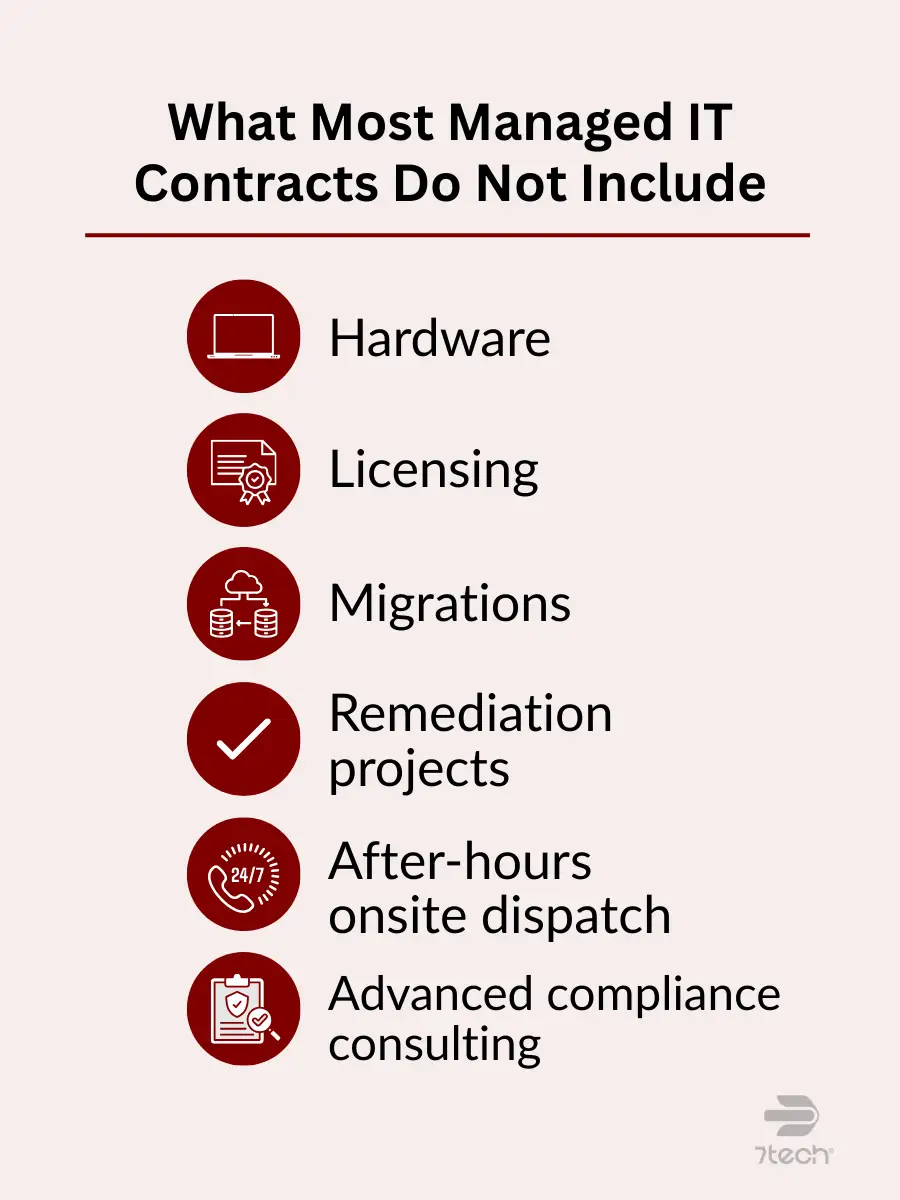
Most managed IT contracts cover ongoing support, maintenance, and a defined service scope. They usually do not include every technology expense or every specialized initiative a growing company may need.
Common exclusions include:
- Hardware purchases and replacement equipment
- Software licensing and subscription fees
- Major infrastructure projects
- Cloud migrations
- Large-scale remediation work
- After-hours onsite dispatch
- Advanced compliance consulting
- Cyber insurance questionnaire support and documentation assistance
This is not a red flag by itself. It is simply contract clarity. The important issue is whether the provider defines what is included, excluded, or billable separately in plain language.
Contract review checklist
- Ask whether each major service is included, excluded, or separately billable
- Ask how projects are scoped and approved
- Ask how after-hours work is handled
- Ask whether onboarding has one-time fees
- Ask whether security tools and licensing are bundled or separate
If you want a deeper review of contract surprises, 7tech has additional guidance on hidden IT fees and broader hidden IT costs.
How to Compare MSP Pricing Without Overpaying
The best way to compare managed IT pricing is to compare value in a structured way, not just compare the monthly number. Two proposals can look similar on paper while carrying very different levels of service accountability, security maturity, and executive visibility.
Use this framework when evaluating providers:
- Response times and whether they are clearly documented
- Scope of coverage across users, devices, locations, and cloud tools
- Included versus billable work
- Security stack and whether security is basic, layered, or actively managed
- Compliance support for frameworks and audit readiness
- Contract length and renewal terms
- Strategic support such as roadmap reviews or executive reporting
- Onboarding costs and transition expectations
- After-hours rules for support, onsite response, and emergencies
Buyer checklist
- What is included every month
- What triggers extra charges
- What response standard is documented
- What security and compliance services are built in
- What level of strategic oversight is included
- What the first 90 days of onboarding look like
This is also where decision-makers should review how to choose a managed services provider, the right questions to ask your IT provider, and practical IT provider red flags. The goal is not to find the lowest number. The goal is to find the clearest fit.
Managed IT vs In-House IT Cost
Managed IT vs in-house IT cost is not only a salary comparison. Executives should compare total operating model cost, coverage depth, specialization, and continuity.
| Cost factor | In-house IT | Managed IT |
|---|---|---|
| Staffing | Salary, benefits, recruiting, training, turnover risk | Monthly service fee |
| Coverage | Often limited by team size and working hours | Can include broader support windows and deeper bench strength |
| Specialization | May require multiple hires for security, cloud, and compliance depth | Often bundled across multiple disciplines |
| Tools | Separate licensing and platform costs | May be bundled or standardized within service agreements |
| Continuity | Key-person dependency can be high | Less dependent on a single employee |
| Compliance support | May require outside consultants | May be integrated, depending on provider capability |
Internal IT still makes sense in some environments, especially where there is meaningful internal technical leadership, industry-specific infrastructure, or a strong need for onsite ownership. Many organizations do best with a blended model, especially when a lean internal IT leader needs outside depth.
For many growing companies, though, co-managed or fully outsourced support becomes more economical and scalable when they need broad expertise without building multiple specialized roles internally. For a deeper comparison, see MSP vs in-house IT.
How to Budget for Managed IT Services
Budgeting for managed IT services works best when it separates recurring support from planned change. That usually means thinking in four buckets:
- Fixed monthly support
- Expected project spend
- Growth-driven changes such as new users, sites, or systems
- Security, compliance, and upgrade cycles
The finance lens should be simple. Do not ask only for the cheapest monthly number. Ask what level of support reduces disruption, planning uncertainty, and unplanned spending.
For most growing companies, annual planning with quarterly review is the right cadence. If budgeting is a current priority, this companion resource on IT budget planning can help frame the discussion.
How to Choose the Right Managed IT Pricing Model
The right managed IT pricing model depends on your business complexity, growth plans, compliance burden, internal IT capacity, and need for predictability.
- Growing company with no internal IT
A per-user or flat monthly model is often easiest to manage because it simplifies budgeting and centralizes accountability. - Company with a lean internal IT lead
A co-managed structure with clear pricing boundaries can add specialized support without forcing internal staff to cover everything alone. - Regulated business with higher risk
Pricing should reflect security oversight, documentation, policy support, and compliance readiness, not just basic help desk availability.
A practical decision rule is this: choose the model that gives leadership the clearest view of monthly coverage, the cleanest path to growth, and the least ambiguity around security and compliance responsibilities.
Frequently Asked Questions
How much do managed IT services cost for a growing company?
There is no responsible single number without defining scope. Cost changes based on users, devices, locations, cloud footprint, security requirements, compliance needs, and whether pricing is per-user, per-device, flat-rate, or break-fix.
What is usually included in managed IT services pricing?
Most agreements include help desk support, monitoring, patching, backup oversight, Microsoft 365 support, vendor coordination, and some baseline cybersecurity controls. Advanced compliance and security services are often separate or handled in higher-tier agreements.
Is per-user or per-device pricing better?
Per-user pricing is often better for predictable budgeting. Per-device pricing can fit environments with shared systems or uneven device use. The better model is the one that matches how your business actually operates.
What should executives ask before signing an MSP contract?
Ask what is included monthly, what triggers extra charges, what response standards are documented, which security services are built in, how after-hours support works, and what onboarding or project fees sit outside the agreement.
Is managed IT cheaper than hiring in-house IT?
It can be, especially when you factor in salary, benefits, tools, after-hours coverage, recruiting risk, and the need for specialized security or compliance support. The real comparison is total capability and accountability, not salary alone.
Executive next step
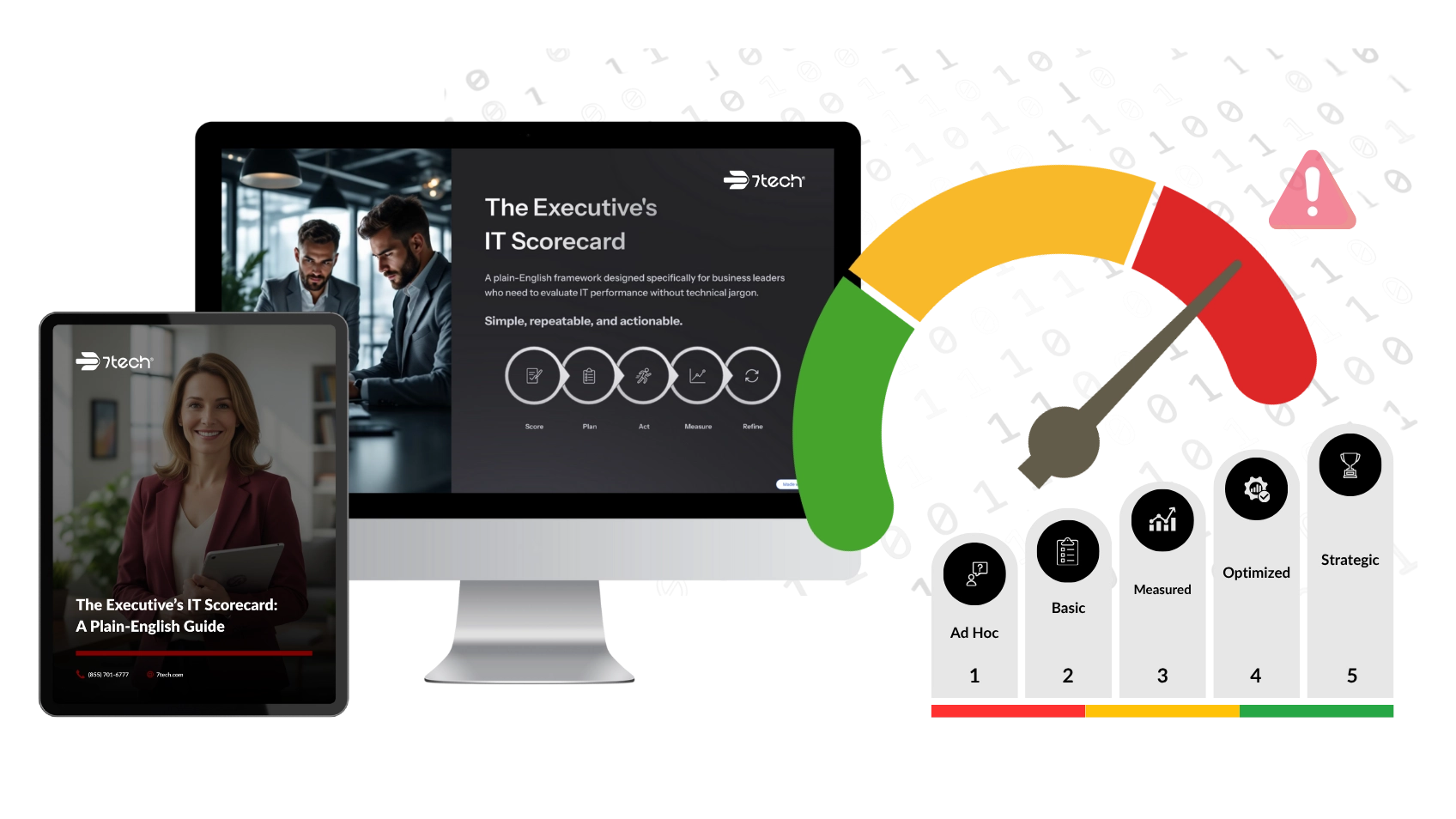
If you want a clearer way to evaluate managed IT pricing, contract scope, service maturity, and executive visibility, 7tech’s Executive’s IT Scorecard is a practical next step. It is designed to help business leaders assess where their IT environment stands without pressure and without guesswork.

Neal Juern, Founder and CEO of 7tech, helps business leaders take control of their IT and strengthen cybersecurity without the complexity. Since founding 7tech in 2012, he’s built it into a 5X MSP 501 winner and guided hundreds of executives toward smarter, safer operations through Managed IT Services and Managed Security Services that make sense to people outside the IT department. He speaks regularly to executive and nonprofit audiences across Texas.