
How to Choose an IT Support Provider in San Antonio
Choosing an IT support provider in San Antonio means looking beyond basic help desk promises. The right provider should match your business complexity, respond quickly, communicate clearly, support your security and compliance needs, and give leadership confidence that IT will not become a budget, downtime, or reputation problem.
For most executive teams, the best choice is not the lowest-priced option or the closest office. It is the provider that can support day-to-day operations, reduce avoidable friction, and give you clear accountability when systems, vendors, users, and risk all intersect.
Executive summary
- Choose for fit, not just price.
- Local presence helps, but maturity matters more than geography alone.
- Prioritize response standards, communication quality, security depth, and accountability.
- Use a shortlist scorecard before signing.
Before you compare finalists, it helps to start with a structured IT buyer’s guide so the conversation stays focused on business requirements instead of sales language.
Why choosing the right IT support provider matters in San Antonio
San Antonio businesses often want local support for practical reasons. Onsite needs still come up. Leadership teams want to know someone can show up when a location, network, or transition requires hands-on help. That matters.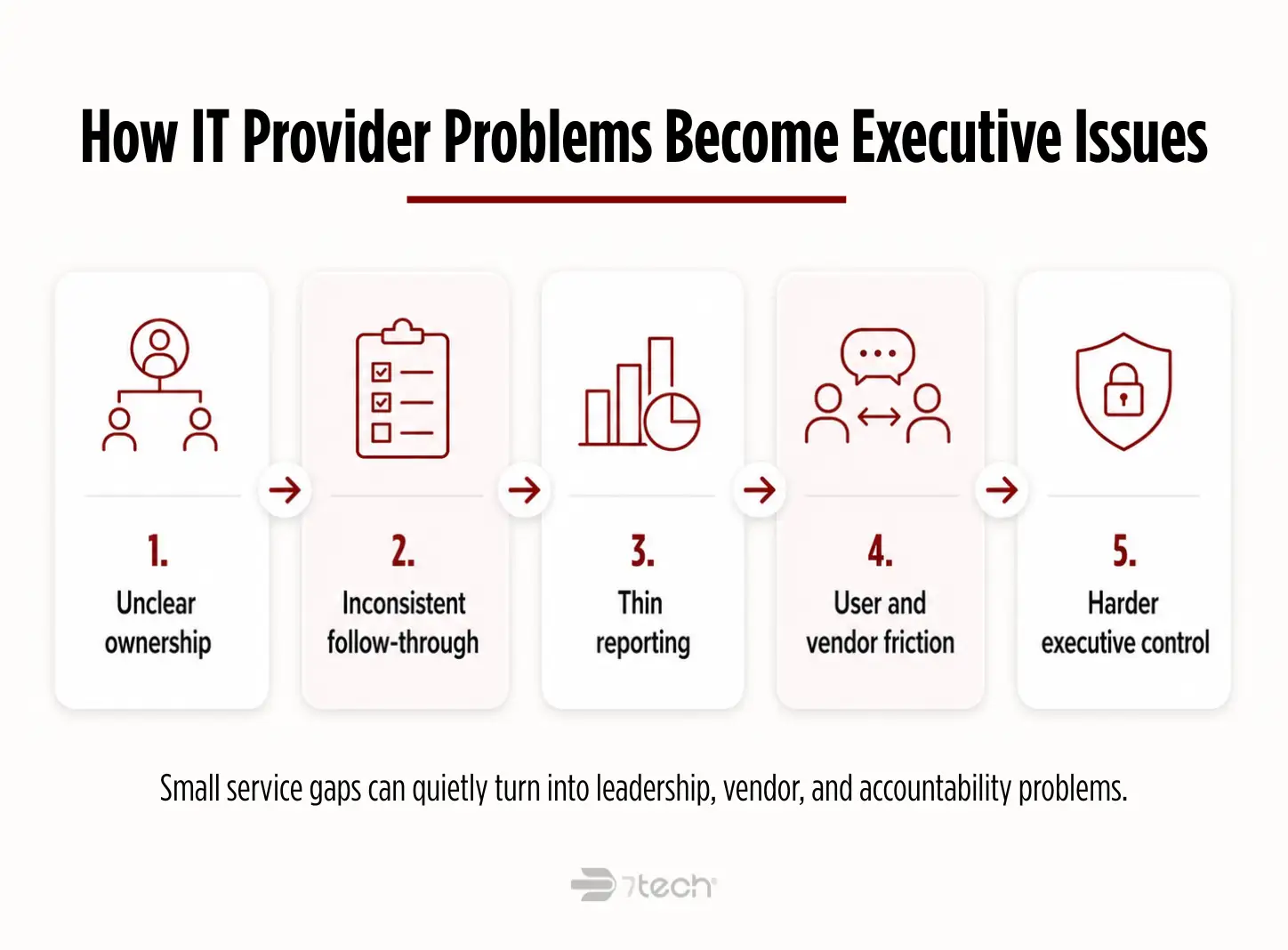
But locality alone is not enough. A nearby provider can still be reactive, loosely organized, or weak on security, compliance, and accountability. An executive team does not benefit from local familiarity if the provider creates recurring confusion, inconsistent support, or unclear ownership.
Poor provider selection usually shows up as operational drag before it shows up as a major incident: unclear ownership, inconsistent follow-through, thin reporting, and repeated friction across users, vendors, and leadership. Over time, IT becomes harder to govern and more expensive to explain.
For CEOs, CFOs, COOs, CIOs, and IT Directors, the real stakes are straightforward: uptime, defensible decisions, cost control, business continuity, compliance readiness, and confidence that growth will not outpace the support model.
What to look for in an IT support provider in San Antonio
If you are evaluating an IT support provider in San Antonio, focus on operational discipline first. Mature providers can explain how work is triaged, escalated, documented, communicated, and reviewed. Shallow providers usually rely on reassuring language without showing a repeatable operating model. A polished proposal does not matter much if response standards, escalation paths, and service boundaries are unclear.
Responsiveness and resolution discipline
Ask how the provider defines response time and how they report on it. “We respond fast” is not enough. You want to know when a human engages, how priorities are classified, how critical issues are escalated, and whether the provider tracks same-day resolution habits.
Local coverage and onsite practicality
Confirm whether they provide onsite support in San Antonio when needed, how dispatch is handled, and what situations actually warrant an onsite visit. Strong local IT support for businesses in San Antonio should combine remote efficiency with practical field coverage.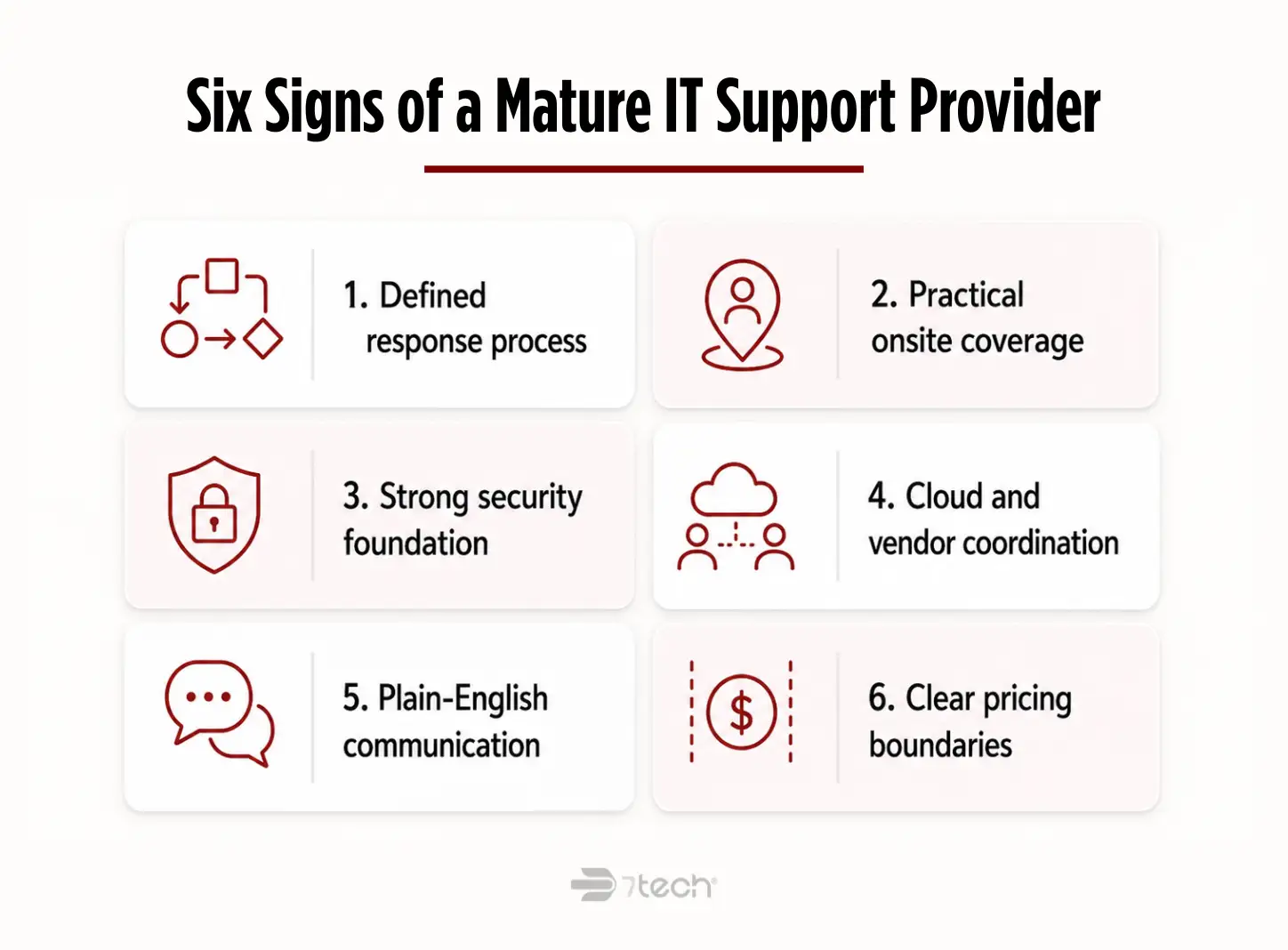
Security maturity beyond basic support
A serious provider should offer more than password resets, patching, and device troubleshooting. They should be able to explain how they approach backup oversight, identity security, endpoint hardening, privileged access, incident response, and user risk. The NIST Cybersecurity Framework 2.0 is a useful reference point because it frames cybersecurity as governance and risk management, not just tooling.
Support for cloud, hybrid, remote users, and vendor coordination
Many businesses now depend on Microsoft 365, cloud file access, remote work, line-of-business applications, and third-party vendors. Your San Antonio IT support company should be able to coordinate across those moving parts instead of forcing your internal leaders to play traffic cop.
Business communication in plain language
Executives should not need a translator to understand their own IT environment. A provider should explain tradeoffs, issues, and recommendations in direct business language. If every answer feels wrapped in jargon, that is usually a sign of poor communication discipline, not sophistication.
Transparent pricing and service boundaries
Pricing should be clear enough for leadership to understand what is included, what is not, and when additional scope applies. This article is not about pricing ranges, but it is about pricing clarity. Low-price positioning with fuzzy boundaries often becomes expensive in practice.
As a baseline, it can also help to compare provider security conversations against the CISA Cybersecurity Performance Goals. They give buyers a practical way to ask whether a provider has a real foundation for MFA, backups, patching, asset visibility, and incident readiness.
How to match provider capabilities to your business complexity
The best provider for a 30-person company with straightforward systems may not be the best fit for a 150-person, multi-site, compliance-minded organization. Fit matters more than generic capability lists.
| Business profile | What usually matters most | What to verify in the provider |
|---|---|---|
| 25-50 employees | Reliable support, cloud administration, predictable help desk coverage, basic governance | Consistent support process, onboarding discipline, clear ownership, sensible reporting |
| 50-200 employees | Layered security, stronger process maturity, vendor coordination, recurring leadership visibility | Documented service processes, security depth, executive reporting, scalable service desk |
| Regulated or multi-site organizations | Compliance support, stronger cybersecurity operations, faster coordination, less fragmentation | Experience with regulated environments, audit support, escalation maturity, deeper bench strength |
| Internal IT already in place | Co-managed support, bench depth, specialist access, better reporting | Respect for internal staff, defined roles, ability to supplement rather than confuse ownership |
This is where maturity frameworks help. A provider with documented processes, defined escalation paths, clear ownership, and recurring leadership reporting will usually be a better fit for growing organizations than one that operates case by case. The NIST CSF Tiers quick-start guide can also be a useful lens here because it helps buyers distinguish between ad hoc operations and more repeatable, risk-informed support models. If your team is still deciding on the right operating model, review MSP vs in-house IT separately before comparing providers.
If you already have internal IT, co-managed IT support in San Antonio can be a practical bridge. It can add security depth, after-hours coverage, and vendor coordination without creating replacement anxiety. Still, many growing firms eventually need broader outsourced coverage because complexity rises faster than a lean internal team can absorb.
Questions to ask before choosing an IT support provider in San Antonio
Use direct questions that reveal how the provider actually works. Good providers should be able to answer these clearly without turning the conversation into a sales performance.
- How fast do you respond, and how do you define response time?
- What issues do you handle directly versus through third parties?
- What security capabilities are included, and what is separate?
- Do you support compliance-related needs such as policy guidance, audit preparation, or framework alignment?
- How do you communicate updates and recommendations to non-technical leadership?
- What does onboarding look like in the first 30 to 60 days?
- What changes if we add locations, users, or more complex systems?
- Do you provide onsite support in San Antonio when needed?
If you want a deeper interview list, this companion resource on questions to ask an IT provider can help structure conversations with finalists.
For regulated or sensitive-data environments, remember that outsourced support does not remove your accountability as the business. Your provider may help execute controls, support documentation, and prepare for audits, but leadership still owns oversight, risk decisions, and vendor accountability. Buyers should ask how the provider supports oversight, documentation, control ownership, and shared responsibility, especially when security or compliance obligations are involved.
Red flags when evaluating a San Antonio IT support provider
Most disappointing provider relationships are not caused by one dramatic problem. They are caused by patterns that were visible early but easy to overlook during a polished sales process.
- Vague response promises with no operational definitions
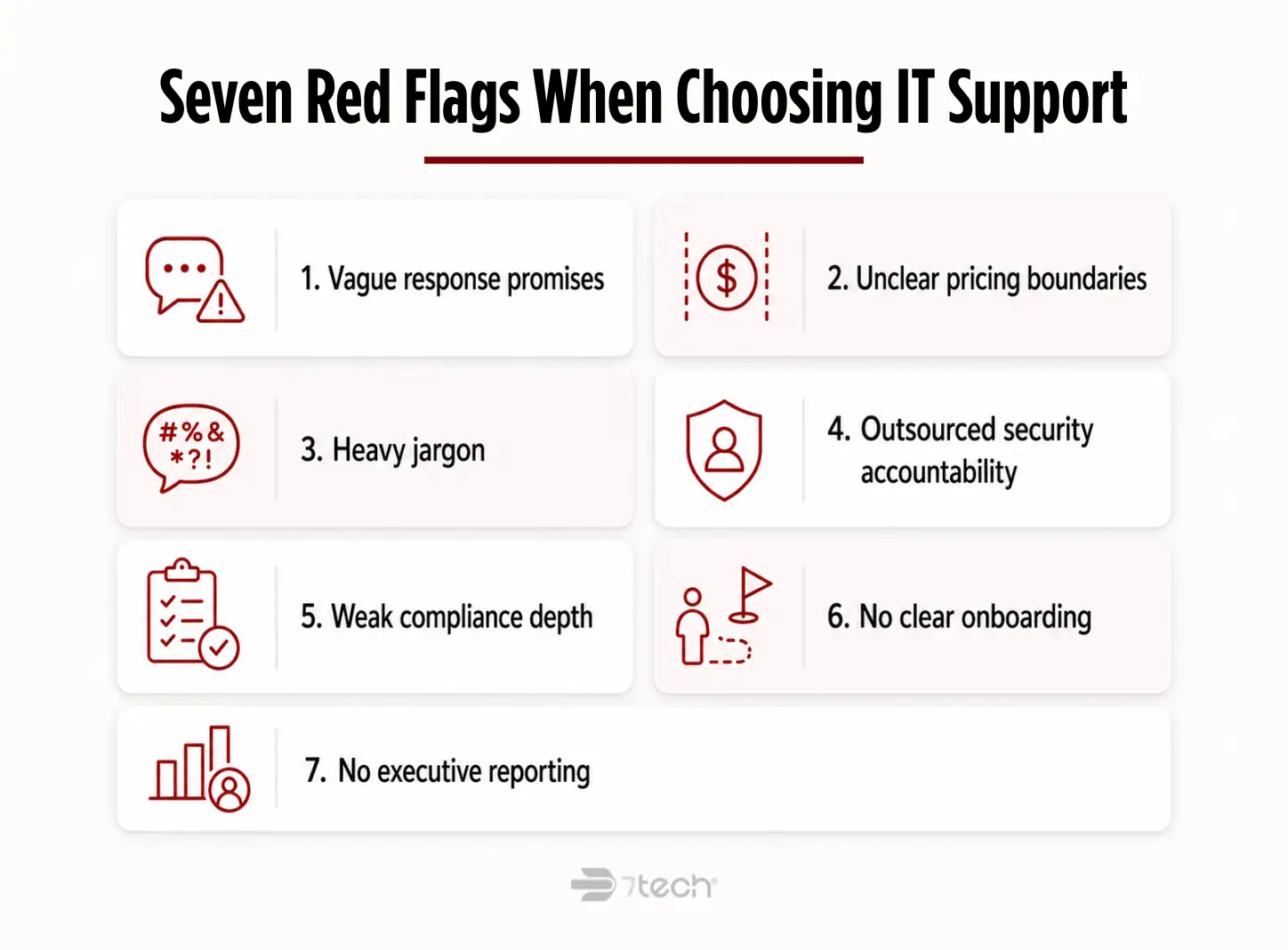
- Low-price positioning with unclear scope or billing boundaries
- Heavy jargon and weak business communication
- Security functions outsourced without clear accountability
- Little evidence of strategic security or compliance capability
- No clear onboarding process
- No executive reporting or decision support
- A pitch focused only on tools, not business outcomes
These are often signs of a reactive operating model: one that can answer tickets but struggles to deliver consistent ownership, communication, and governance as complexity grows. For a broader screening checklist, review these common IT provider red flags before your final decision.
It is also worth distinguishing between managed support and purely reactive support. If the model still feels mostly ticket-driven and event-driven, you may be looking at a provider that helps after disruption more than one that reduces it. If a provider still seems mostly reactive, it can help to review managed services vs break-fix before you finalize a shortlist.
Why communication style and culture fit matter more than most companies expect
Communication is not a soft issue. It is an operating issue.
During outages, migrations, audits, leadership transitions, and growth phases, executives need clarity. Internal teams need respect. End users need calm guidance. If the provider defaults to jargon, defensiveness, or vague status updates, trust erodes quickly.
The right san antonio managed IT support provider should be able to do three things well at the same time: explain plain-language business impact, coordinate confidently with internal and external stakeholders, and keep people informed without flooding them with noise.
Culture fit also matters in co-managed environments. A provider should strengthen your internal team, not make them feel sidelined. The best relationships look collaborative under pressure, not territorial.
How local businesses in San Antonio can compare finalists
A simple side-by-side scorecard is usually better than a stack of proposals because it helps executives compare operating maturity, not just sales polish.
| Evaluation area | What strong looks like | What to watch for |
|---|---|---|
| Response standard | Clearly defined human response and escalation process | Fast-sounding claims without definitions |
| Resolution habits | Evidence of disciplined follow-through and same-day closure where appropriate | Lots of tickets, little accountability |
| Onsite support | Practical San Antonio coverage when needed | Unclear dispatch model |
| Security depth | Explains identity, backup, endpoint, and incident processes clearly | Security treated like an add-on slogan |
| Compliance support | Can discuss frameworks, documentation, and audit readiness support | Only generic references to “best practices” |
| Communication quality | Plain language, useful updates, executive-ready reporting | Geekspeak and unclear status |
| Pricing transparency | Clear boundaries and expected scope | Low entry point with fuzzy extras |
| Strategic guidance | Helps leadership make better decisions over time | Only transactional support |
| Scalability | Can support added users, locations, vendors, and complexity | Good for now, weak for growth |
Checklist for choosing the right IT support provider in San Antonio
- Define your operational, security, and leadership reporting requirements.
- Identify business-critical systems and realistic support expectations.
- Confirm local and remote support coverage.
- Validate security and compliance capabilities.
- Review the onboarding process and reporting cadence.
- Interview references with questions about communication and follow-through.
- Compare clarity, accountability, and fit, not just price.
- Choose the provider that fits your current complexity and likely next stage of growth.
For a broader overview of San Antonio IT support services, that resource can complement your provider evaluation process.
When it makes sense to keep researching and when it makes sense to talk to a provider
If your leadership team is still defining requirements, keep researching. A scorecard-driven approach will make provider conversations more useful and easier to compare.
If you already know your pain points, such as slow response, unclear ownership, user frustration, compliance pressure, or poor reporting, then a review conversation can help clarify fit faster than another week of generic browsing.
The key is to keep the process buyer-controlled. A good provider should help you understand your environment more clearly, not pressure you into a premature decision.
Frequently asked questions
What should I look for in an IT support provider in San Antonio?
Look for response discipline, clear communication, local onsite practicality, security maturity, compliance awareness, and transparent service boundaries. The best fit is the provider that matches your business complexity, not just your budget.
How do I compare two San Antonio IT support companies?
Use a side-by-side scorecard. Compare response definitions, onboarding, security depth, leadership reporting, onsite coverage, pricing clarity, and scalability. Proposals alone rarely show how well a provider will operate after the contract is signed.
Is local onsite support still important?
Yes, but only when paired with strong remote operations. Most day-to-day issues should be handled efficiently without waiting for a visit. Onsite support matters most for location issues, projects, transitions, and exceptions.
What is the difference between IT support and managed IT services?
IT support often refers to issue resolution and user help. Managed IT services usually include broader accountability for monitoring, maintenance, planning, vendor coordination, and recurring oversight.
How do I know if a provider can support compliance needs?
Ask whether they can explain their role in documentation, policy support, audit preparation, security controls, and reporting. A provider should be able to discuss compliance in business terms, not just technical terms.
When should a business switch IT providers?
Usually when support quality, communication, security maturity, or accountability no longer match business needs. Repeated confusion, recurring friction, and weak executive visibility are often stronger signals than one isolated issue.
A practical next step for executive teams
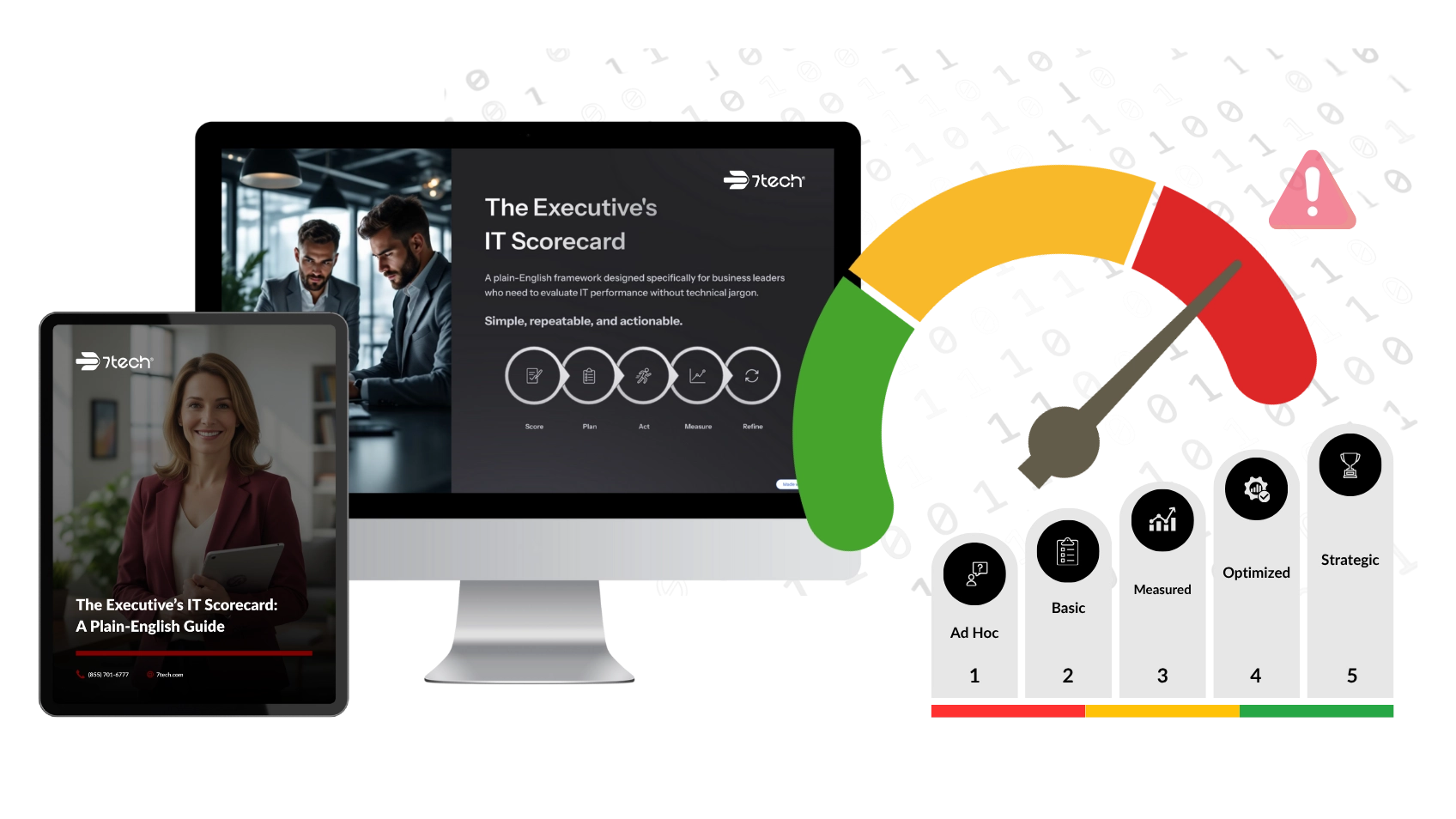
If you want a clearer way to compare providers without turning the process into a sales gauntlet, download the Executive IT Scorecard. It gives leadership teams a more structured way to evaluate responsiveness, security, communication, and business fit before making a provider decision.

Neal Juern, Founder and CEO of 7tech, helps business leaders take control of their IT and strengthen cybersecurity without the complexity. Since founding 7tech in 2012, he’s built it into a 5X MSP 501 winner and guided hundreds of executives toward smarter, safer operations through Managed IT Services and Managed Security Services that make sense to people outside the IT department. He speaks regularly to executive and nonprofit audiences across Texas.