
How Much Should Nonprofits Budget for IT
There is no universal number that fits every nonprofit. 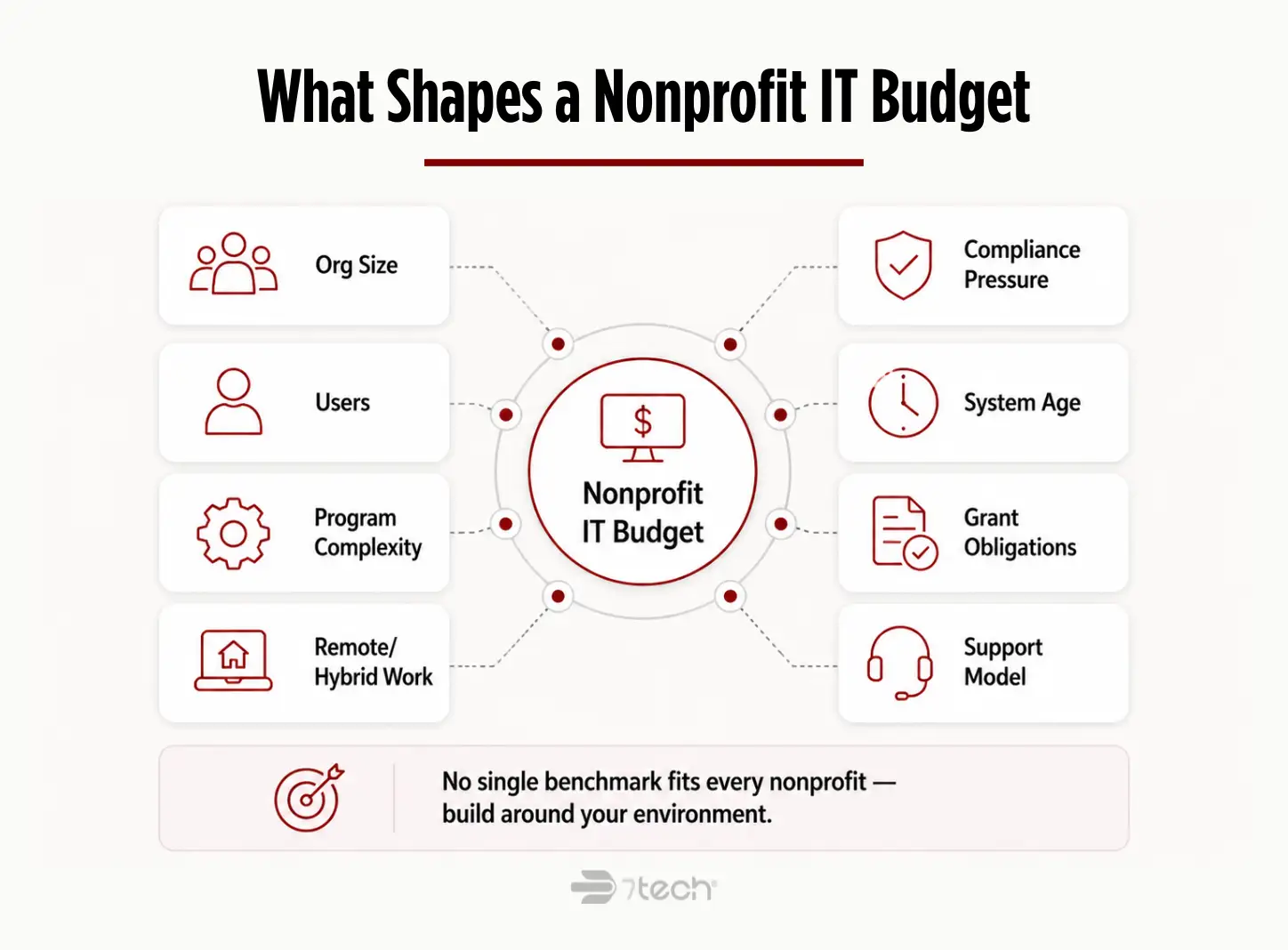
An effective nonprofit technology budget depends on factors such as organization size, number of users, program complexity, remote or hybrid work, compliance pressure, age of existing systems, grant-related obligations, and whether support is handled internally, outsourced, or through a co-managed model.
That is why nonprofit IT budget planning works best when leaders organize spending into categories instead of chasing a single benchmark. A budget built around support, security, cloud tools, continuity, lifecycle refreshes, and oversight is usually more useful than a rough percentage pulled from another organization’s environment.
Underbudgeting often looks efficient on paper right up until it creates emergency replacements, downtime, inconsistent security controls, vendor overlap, or rushed projects. Those reactive costs rarely arrive at a convenient time, and they often cost more because they are fixing neglect, not funding stability.
For a broader budgeting framework, 7tech’s guidance on the IT budget planning process can help leadership teams structure the discussion in a more disciplined way.
What a Nonprofit IT Budget Should Include
A strong IT budget for nonprofit organizations should include the full operating environment, not just hardware and licenses. At a minimum, executives should account for the following categories.
Your nonprofit IT support costs should also include staff onboarding and offboarding, access control, account permissions, and recurring administration. These are easy to overlook, but they directly affect security, productivity, volunteer transitions, and audit readiness.
Technology Challenges Unique to Nonprofits
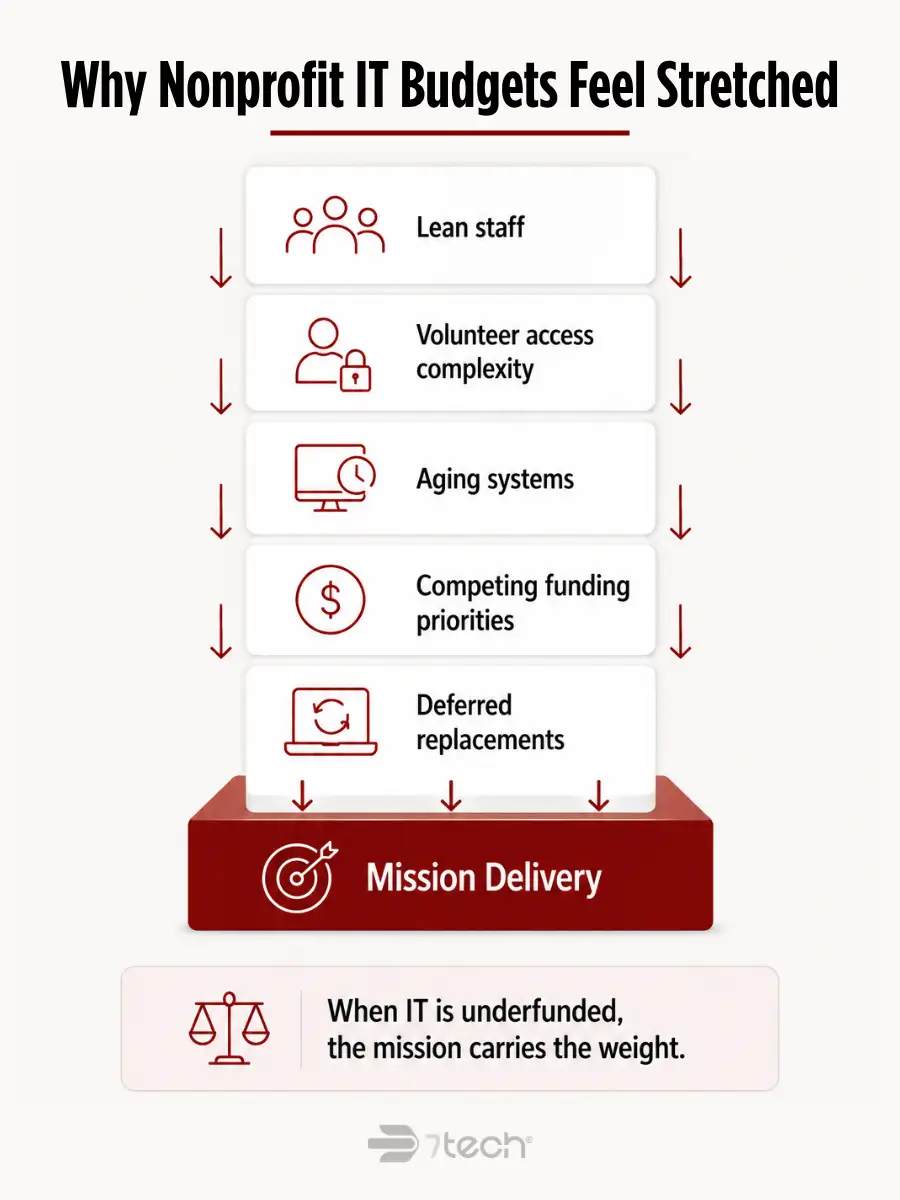
Nonprofits face many of the same IT requirements as private-sector organizations, but they often have less margin for waste and less tolerance for disruption.
Funding has to compete with mission programs. Staff teams are lean. Volunteer and part-time access creates extra identity and permissions complexity. Remote and distributed work can stretch older systems. Grant reporting or program reporting may create recordkeeping expectations that basic support alone does not solve.
Nonprofits also tend to keep aging systems longer than they should because replacement feels easier to defer than mission spending. The problem is that deferred replacements rarely stay deferred quietly. They usually reappear as support friction, downtime, workarounds, or security gaps.
This is where a nonprofit technology budget needs to be mission-aware. A fragile server, inconsistent file access, or poor offboarding process is not just an IT inconvenience. It can slow program delivery, complicate reporting, create avoidable board concern, and reduce confidence in leadership’s operating discipline.
How to Prioritize a Nonprofit IT Budget When Resources Are Limited
When budget is tight, priorities matter more than perfection.
Start by funding business continuity first. That includes the systems people need to work, communicate, access files, and recover from disruption. Next, fund security controls that reduce real exposure. After that, invest in collaboration tools that remove friction for staff and volunteers.
A practical budgeting model looks like this:
- Essential: help desk support, identity and access controls, backups, endpoint protection, Microsoft 365 administration, core network reliability
- Important: workflow improvements, stronger monitoring, lifecycle refreshes, policy support, vendor consolidation
- Future-state: noncritical upgrades, convenience tools, lower-impact projects that can wait without raising risk materially
That tiered approach gives executives and boards a more defensible way to discuss nonprofit IT strategy, especially when funding decisions must compete with program priorities. It also keeps nice-to-have projects from crowding out core protections.
For organizations that want an outside reference point on prioritizing foundational controls, the CISA Cyber Essentials resource is a useful executive-level starting point. Teams looking for a broader view of cost discipline may also find 7tech’s article on IT cost optimization strategies helpful when deciding what to fund first.
Cybersecurity Requirements for Nonprofits
Nonprofits still face real cyber risk. Donor records, payment information, employee data, financial systems, and sensitive client or beneficiary information all create exposure worth budgeting for.
A practical cybersecurity baseline usually includes multi-factor authentication, endpoint protection, secure backups, phishing awareness, access control, software patching, and ongoing monitoring. For some organizations, contractual requirements, cyber insurance expectations, or sector-specific obligations may also influence the budget.
The right question is not whether a nonprofit needs enterprise-scale complexity. It is whether the organization has funded a reasonable baseline that matches its risk profile and operating model.
Where compliance obligations are part of the picture, it helps to make those requirements explicit rather than burying them in general support costs. 7tech’s compliance services page is a useful reference for how leaders can think about compliance support as part of ongoing governance, not as a last-minute scramble.
Executive teams can also use the NIST Cybersecurity Framework 2.0 quick-start guide as a practical way to frame security spending around real risk-management categories.
Budgeting for Security and Data Protection
Security should have its own visible line in a nonprofit cybersecurity budget.
When security is buried inside general IT support, leadership often loses visibility into what is actually being funded. That makes it harder to explain the budget, harder to defend tradeoffs, and easier for critical controls to be treated like optional add-ons.
Budget for recurring security costs, not one-time assumptions. Prevention, monitoring, backup, user awareness, access management, and response readiness all require continuity. Security is not a one-purchase category.
This matters for more than technical hygiene. A visible security budget supports operational continuity, reputation protection, insurance conversations, and board confidence that risk is being managed deliberately. For nonprofits that need ongoing oversight rather than one-off tooling, 7tech’s managed security services page provides helpful context on how continuous protection differs from isolated point solutions.
Cloud and Collaboration Tools for Nonprofits
Cloud collaboration is often one of the most practical budget areas for nonprofits because it affects productivity every day.
Microsoft 365, SharePoint, Teams, and secure file access can reduce dependence on fragile on-premise workflows while making it easier for staff and volunteers to work from multiple locations. But the value is not just in licensing. It also depends on administration, permissions, governance, support, and user adoption.
That means a nonprofit cloud migration budget should include both the tool and the ongoing management around it. It should also account for governance decisions, permission structures, and the staff or partner time required to keep the environment usable and secure over time. Before finalizing assumptions, nonprofit leaders should also review available Microsoft nonprofit offers and discounts to understand whether discounted licensing can improve the overall budget model.
“Since 7tech transitioned our non-profit’s file storage to SharePoint, our team is no longer tethered to an on-premise server and we have the flexibility and freedom to work when and how we want.”
That kind of outcome is rarely about software alone. It comes from planning, permissions, support, and a clear operating model. For additional context on cloud planning and support, see 7tech’s cloud services overview.
How to Build a Sustainable IT Budget for a Nonprofit
If you need a clear nonprofit IT budget planning process, use a step-by-step framework that leadership can review and repeat annually.
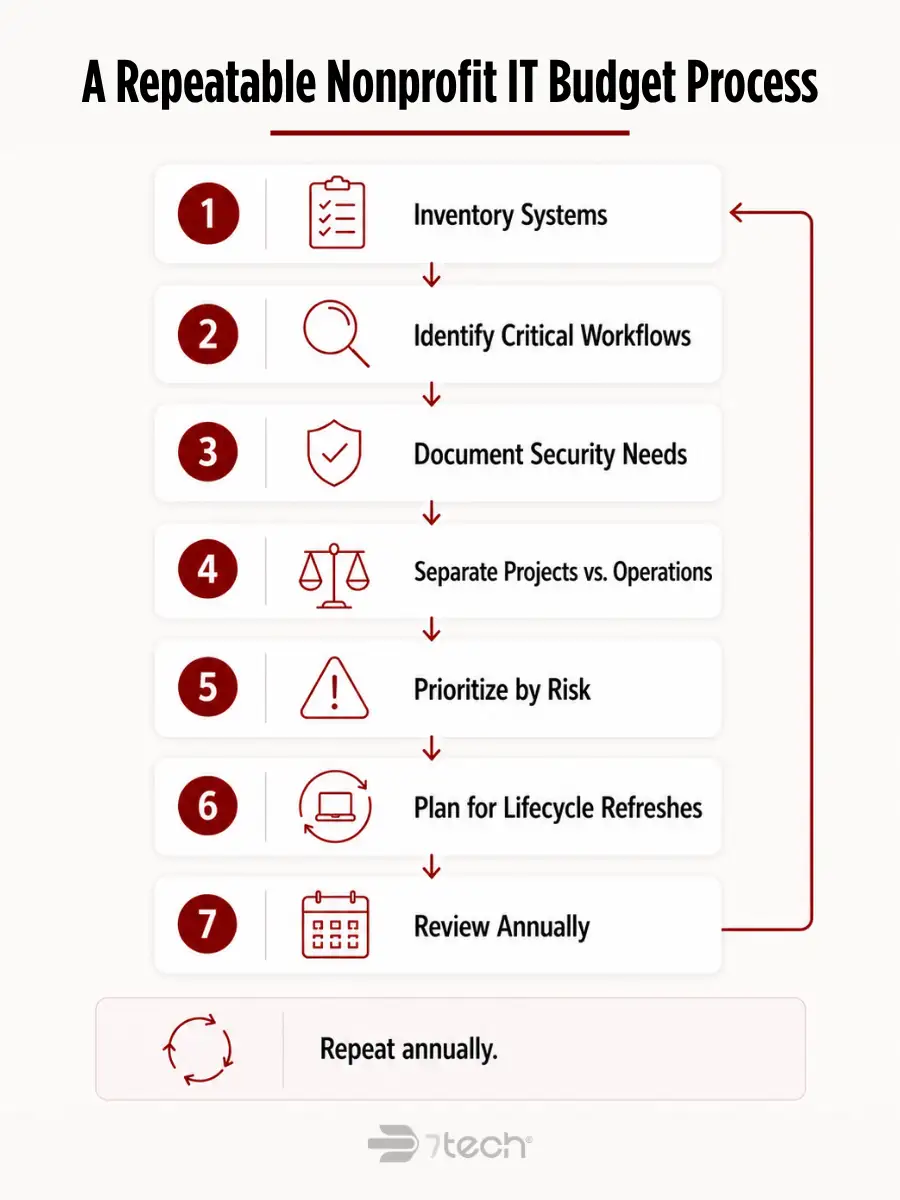
- Inventory current systems, vendors, and pain points. Document what you use today, who supports it, what is redundant, and where recurring issues appear.
- Identify mission-critical workflows. Focus on the systems that directly support service delivery, fundraising, reporting, finance, and communication.
- Document security and compliance requirements. Note where donor data, employee information, client records, or contract obligations create baseline control needs.
- Separate one-time projects from recurring operating costs. A migration, hardware refresh, or cleanup project should not be confused with ongoing support, licensing, or monitoring.
- Prioritize by risk, operational impact, and user experience. Fund what reduces disruption and clarifies ownership first.
- Account for support, security, and lifecycle refreshes. Do not build a budget that assumes people, devices, and systems will somehow maintain themselves.
- Review the budget annually with leadership. Revisit users, workflows, security posture, vendor sprawl, and deferred replacements before they become avoidable surprises.
This approach helps transform nonprofit technology planning from reactive purchasing into an operating discipline.
Signs Your Nonprofit IT Budget Is Too Reactive
Most reactive budgets show the same warning signs.
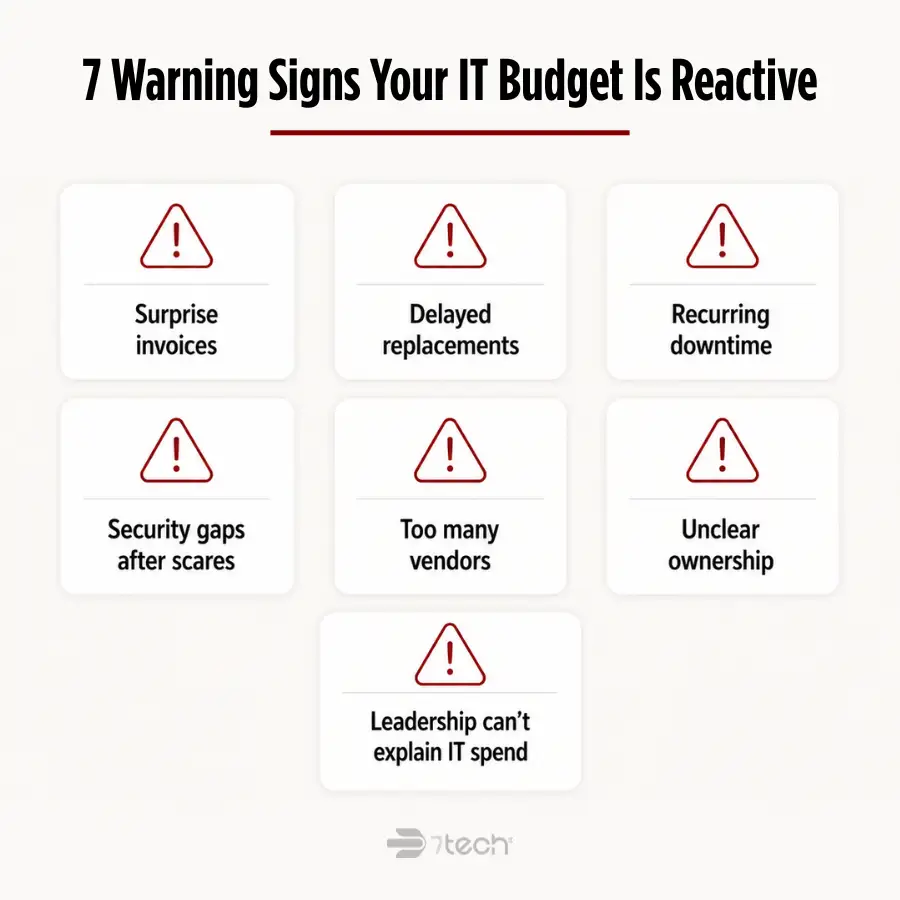
- Surprise invoices that leadership did not expect
- Delayed replacements for devices or infrastructure that are already unreliable
- Recurring downtime or persistent workarounds
- Security gaps addressed only after a scare or incident
- Too many vendors with unclear accountability
- No clear owner for access control, backups, or lifecycle planning
- Leadership cannot confidently explain what current IT spend is accomplishing
If those issues sound familiar, the budget problem may not be total spend. It may be poor structure, buried costs, or fragmented ownership. 7tech’s perspective on hidden IT costs is relevant here because reactive budgets often hide their true cost in downtime, overlap, and emergency fixes.
Should Nonprofits Outsource IT or Build More In House
That decision depends on your size, internal capabilities, support expectations, and security depth.
Outsourced support often makes sense when the nonprofit needs predictable help desk coverage, stronger security maturity, broader vendor management, or more strategic guidance than a lean internal team can realistically provide. Co-managed support can make sense when internal IT is capable but stretched and needs outside help in security, escalation coverage, or planning.
Leaders should compare the total picture, not just salary versus contract cost. Review staffing depth, response coverage, security specialization, vendor sprawl, reporting clarity, and whether leadership gets the guidance needed to make defensible decisions. It also helps to understand what managed IT services include so budget discussions are based on scope and accountability rather than assumptions.
This should never be framed as internal IT versus outside help. Good internal teams often need more capacity, more specialization, or more around-the-clock coverage than an internal model alone can sustain. For a balanced look at the decision, see 7tech’s page on MSP vs in-house IT.
FAQ
How much should a nonprofit spend on IT?
There is no fixed number. A nonprofit should budget based on users, system complexity, remote work, security needs, compliance obligations, aging equipment, and the support model required to keep operations stable.
What should be included in a nonprofit IT budget?
A nonprofit technology budget should include support, cybersecurity, Microsoft 365 or similar productivity tools, cloud collaboration, device replacements, backups, network reliability, access control, vendor management, and strategic oversight.
Should cybersecurity have its own line in a nonprofit IT budget?
Yes. A separate security line makes recurring protection costs visible and helps leadership explain what is being funded for prevention, monitoring, backup, and response readiness.
Can a nonprofit outsource IT instead of hiring full-time staff?
Yes. Outsourcing can provide broader support coverage, security depth, and planning capacity. Some nonprofits also choose a co-managed model when they want outside expertise without replacing internal IT leadership.
How often should a nonprofit review its IT budget?
At minimum, review it annually, and revisit sooner when staffing, grant requirements, security expectations, or major systems change.
What causes nonprofit IT budgets to go off track?
Common causes include deferred replacements, unclear ownership, buried security costs, too many vendors, emergency purchases, and budgeting for tools without budgeting for support and administration.
What a Defensible Nonprofit IT Budget Makes Possible
A strong nonprofit IT budget is really a continuity, security, and mission-support budget. It helps staff and volunteers do their work, protects sensitive information, supports compliance where needed, and reduces the surprise costs that can undermine leadership and board confidence.
The goal is not bigger spend for its own sake. It is smarter, more visible, and more defensible spend that supports the mission without leaving daily operations to chance.

Neal Juern, Founder and CEO of 7tech, helps business leaders take control of their IT and strengthen cybersecurity without the complexity. Since founding 7tech in 2012, he’s built it into a 5X MSP 501 winner and guided hundreds of executives toward smarter, safer operations through Managed IT Services and Managed Security Services that make sense to people outside the IT department. He speaks regularly to executive and nonprofit audiences across Texas.