IT Budget Planning for Growing Businesses
IT budget planning is the process of forecasting the technology, support, security, compliance, and refresh costs your business will need over the next year and beyond. A strong IT budget reduces surprise expenses, supports growth, and helps executives make defensible decisions about risk, uptime, and spend.
For growing mid-sized businesses, this is not just an accounting exercise. It is an ongoing planning discipline that helps leadership prepare for growth, reduce avoidable surprises, and keep technology aligned with business needs.
What IT Budget Planning Actually Includes
An annual IT budget should cover more than devices and software renewals. For growing businesses, the real picture usually includes a mix of routine operating costs, contractual obligations, security requirements, lifecycle replacements, and planned improvements.
| Budget category | What it typically includes | Why it gets missed |
|---|---|---|
| Hardware | Laptops, desktops, servers, firewalls, switches, phones, peripherals | Replacement timing is often informal or delayed |
| Software and licensing | Microsoft 365, security tools, line-of-business apps, backup licenses | Unused, duplicate, or mismatched licenses stay hidden |
| Support and managed services | Help desk, monitoring, patching, vendor management, after-hours support | Budgets focus on invoices, not support demand |
| Cloud and connectivity | Internet circuits, cloud hosting, storage, voice, remote access services | Variable consumption and overlapping vendors distort totals |
| Cybersecurity | MFA, endpoint protection, monitoring, awareness training, vulnerability management | Security is treated as an optional add-on instead of a core cost |
| Compliance | Assessments, policy work, documentation, audit preparation, vCISO guidance | Organizations wait until an audit or customer requirement forces action |
| Projects and improvements | Migrations, office moves, integrations, platform upgrades, modernization work | These costs sit outside “normal IT” until they arrive all at once |
| Training and change management | User training, onboarding, security awareness, adoption support | Often assumed to be absorbed somewhere else |
It also helps to separate two different kinds of spend:
- Run costs: the spending required to keep the environment stable, supported, and secure.
- Improvement costs: the spending required to reduce risk, increase capacity, support growth, or modernize outdated systems.
Many budgets fail because they include only visible invoices. They leave out lifecycle timing, support assumptions, emergency labor, and the cost of keeping aging systems alive. Software inventory discipline matters here too. Tracking software license usage against purchases is one of the simplest ways to avoid waste and recover visibility.
Why IT Budget Planning Fails in Many Organizations
Most IT budget problems are not caused by one dramatic mistake. They come from a series of reasonable assumptions that never got revisited.
- Reactive budgeting: next year’s budget is based mostly on the last few invoices.
- Refresh delays: hardware stays in service until failure, performance problems, or support deadlines force a replacement.
- Hidden cost blind spots: emergency support, project overruns, downtime, expedited shipping, and after-hours work are left out.
- Security treated as optional: cybersecurity and compliance are added only if budget remains.
- Unclear ownership: finance, operations, and IT each assume someone else is maintaining the planning model.
The result is familiar: a budget that looks reasonable on paper but fails under real operating conditions. That is why growing businesses often discover that the cheapest-looking plan becomes the least predictable one.
If you are also evaluating broader managed service cost drivers, this guide pairs well with managed IT cost planning fundamentals.
How to Build an Annual IT Budget Step by Step
A practical IT budget is built from inventory, timing, and business priorities. The framework below is designed for executives who need clarity without turning the process into a technical workshop.
- Inventory current systems, vendors, contracts, and tools.Create a single list of core applications, devices, support agreements, cloud services, internet providers, security tools, and compliance-related services. This is where duplicate tools and vendor sprawl usually become visible.
- Separate run costs from improvement costs.Split ongoing support, licensing, and recurring services from one-time projects, migrations, or modernization work. This makes your base operating cost easier to defend.
- Identify known renewals and fixed commitments.Map contract dates, vendor renewals, warranty expirations, telecom terms, and licensing anniversaries. Known commitments should not feel like surprises.
- Estimate support demand and project needs.Review help desk patterns, office changes, onboarding needs, acquisition activity, and planned initiatives. If you are comparing support models, the budget difference between predictable IT support versus reactive repair can materially change forecasting assumptions.
- Include cybersecurity and compliance requirements.Budget for baseline protection, monitoring, backup validation, awareness training, assessments, and any strategic oversight required for regulated environments.
- Map hardware and software lifecycle timing.List expected replacement windows, support deadlines, and upgrade dependencies. Unsupported systems create predictable cost events even when the invoice has not arrived yet.
- Reserve a contingency line for unavoidable surprises.No annual plan captures every event. A contingency line gives you room for urgent replacements, project changes, or support spikes without breaking the budget model.
- Align the budget to business goals, staffing, and growth plans.Hiring, new locations, remote work, audit readiness, and customer requirements should all shape the final numbers. A budget should reflect the business you are building, not just the network you inherited.
IT Budget Planning With Multi-Year Forecasting
One-year budgeting is often too narrow for technology decisions. A laptop fleet, firewall platform, cloud migration, compliance initiative, or Microsoft transition rarely fits neatly inside a single fiscal year.
That is why annual IT budget planning works best inside a broader forecast:
- 12 months: renewals, support, known projects, immediate refreshes
- 24 months: major device waves, licensing changes, staffing shifts, platform upgrades
- 36 months: infrastructure modernization, site expansion, cloud transitions, significant security stack changes
Multi-year visibility helps executives avoid rushed decisions in the boardroom or during budget season. It also makes large expenses easier to phase instead of absorbing them in one uncomfortable hit.
Security belongs in this longer view as well. NIST guidance on integrating cybersecurity with enterprise risk management supports the idea that cyber decisions should be tied to broader business planning, not isolated as a technical side budget.
Planning for Hardware and Software Refresh Cycles
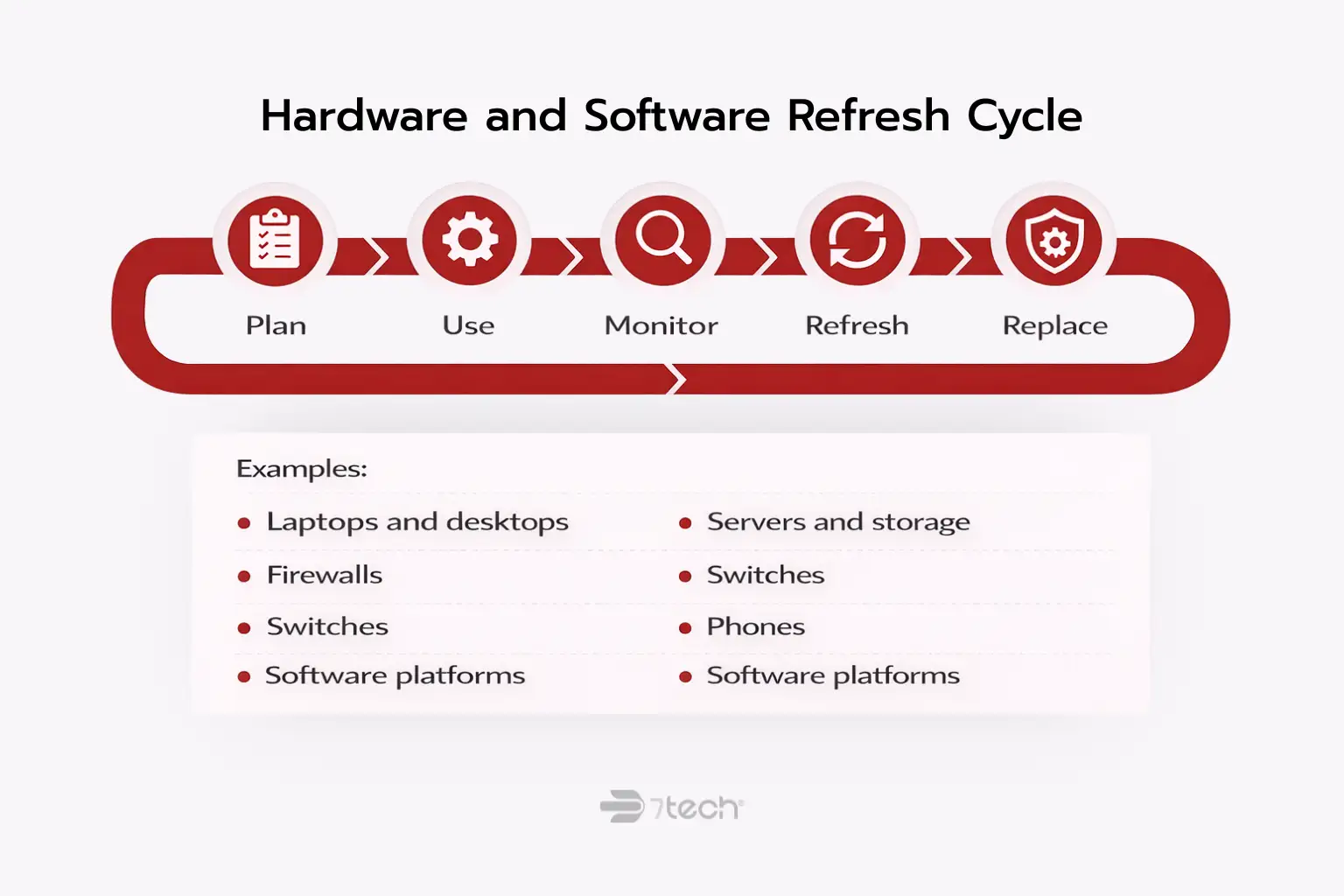
Hardware refresh planning is one of the clearest ways to reduce surprise IT costs. Devices and platforms do not become budget issues only when they fail. They become budget issues when they slow users down, increase support load, lose vendor support, or create recovery risk.
Typical lifecycle planning should account for:
- Laptops and desktops
- Servers and storage
- Network switches and wireless equipment
- Firewalls and security appliances
- Phones and collaboration hardware
- Operating systems and productivity platforms
- Software licenses with end-of-support or major version changes
Delayed refreshes often appear to save money, but they can quietly increase ticket volume, productivity loss, compatibility issues, and business continuity risk. For Microsoft-dependent environments, Microsoft product lifecycle and end-of-support timelines are a practical reference for planning upgrade timing before support deadlines create a scramble.
For growing businesses, the better approach is usually to phase refreshes in manageable waves. That spreads cost, reduces operational disruption, and keeps the environment within supportable boundaries.
Budgeting for Cybersecurity and Compliance
Cybersecurity budget planning should not sit outside the IT budget as a separate conversation that happens only if money remains. For most growing mid-sized businesses, security and compliance are now part of normal operating requirements.
Common budget lines include:
- Multi-factor authentication
- Endpoint protection
- Security monitoring
- Backups and recovery readiness
- Security awareness training
- Vulnerability management
- Compliance assessments and remediation support
- Policy and documentation work
- Strategic oversight such as virtual CISO services
Compliance-driven organizations should plan differently from businesses with lower oversight requirements. If your customers, insurers, or regulators expect formal controls, your budget should reflect the cost of maintaining those controls over time, not just preparing for a single event. Related services such as ongoing compliance support and ongoing cybersecurity coverage are often easier to manage when they are forecasted as standing operational needs.
The right framing is defensible security, not perfection. The goal is to support business continuity, reduce avoidable risk, and maintain executive credibility through clearer planning.
Capital Expenses vs Operating Expenses in IT Budget Planning
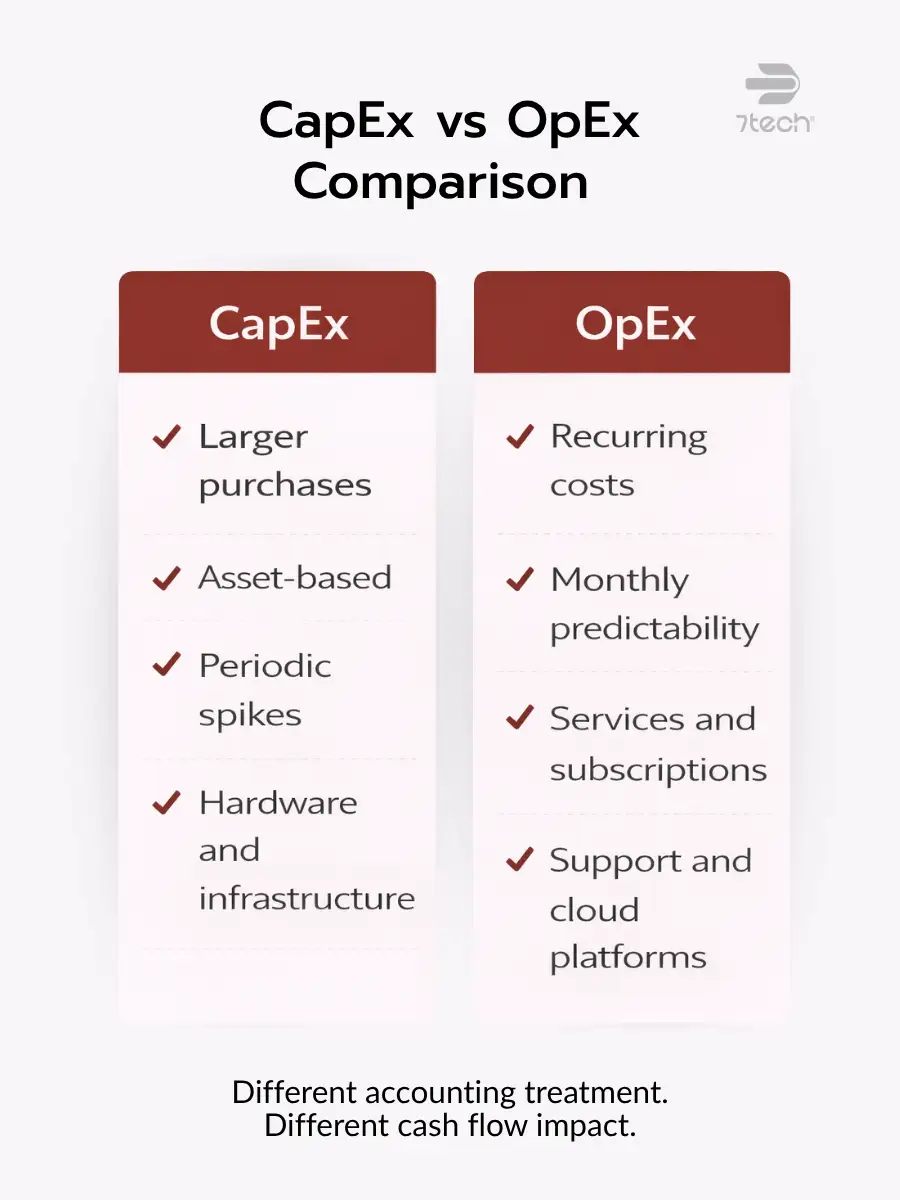
CapEx and OpEx matter because they change how technology spend appears in the business, but most executives care just as much about predictability as about category labels.
- Capital expenses: larger purchases that are typically treated as assets, such as server hardware, networking equipment, or major infrastructure replacements.
- Operating expenses: recurring costs such as cloud services, software subscriptions, support agreements, monitoring, and managed services.
In practical terms, cloud platforms and managed services often shift IT spend away from periodic large purchases and toward steadier monthly operating costs. That does not automatically make one model better. It simply changes cash flow, forecasting, and approval patterns.
If you are comparing provider models, managed IT services pricing can help frame how fixed-fee and variable support structures affect budget predictability.
How to Avoid Surprise IT Expenses
The easiest way to avoid surprise technology costs is to assume they have causes, not randomness. Most unexpected expenses can be traced back to something visible in advance.
- Hidden fees in vendor agreements
- Emergency support outside normal coverage
- After-hours project work
- Duplicate or underused tools
- Unsupported hardware or software
- Downtime-related losses
- Contract overlap across multiple providers
This is where a contingency reserve earns its place. It should be tied to business impact logic, not guesswork. If a failed firewall, expired server warranty, or urgent migration would interrupt operations, the budget should acknowledge that possibility in advance.
For a deeper look at where these blind spots come from, 7tech’s related resources on hidden IT costs and the business cost of unreliable systems provide useful context without replacing the need for planning discipline.
How to Review and Adjust Your IT Budget Quarterly
An annual budget should not be created once and ignored. Quarterly review is where IT budget forecasting becomes operationally useful.
Review these items every quarter:
- Upcoming renewals and contract changes
- License counts versus actual usage
- Ticket volume and recurring support themes
- Incidents, outages, and near-miss events
- Project timing and scope changes
- Hiring plans, terminations, or location changes
- Compliance deadlines and assessment timing
A mid-year correction is usually warranted when support demand rises sharply, a project slips into a new quarter, a vendor changes pricing, or a business event such as growth, acquisition, or audit activity changes the operating picture. Quarterly review should also ask whether spending is producing the expected business value. This is where measuring whether IT spend is delivering value becomes more useful than simply checking whether the budget line was spent.
Aligning IT Budget Planning With Business Strategy
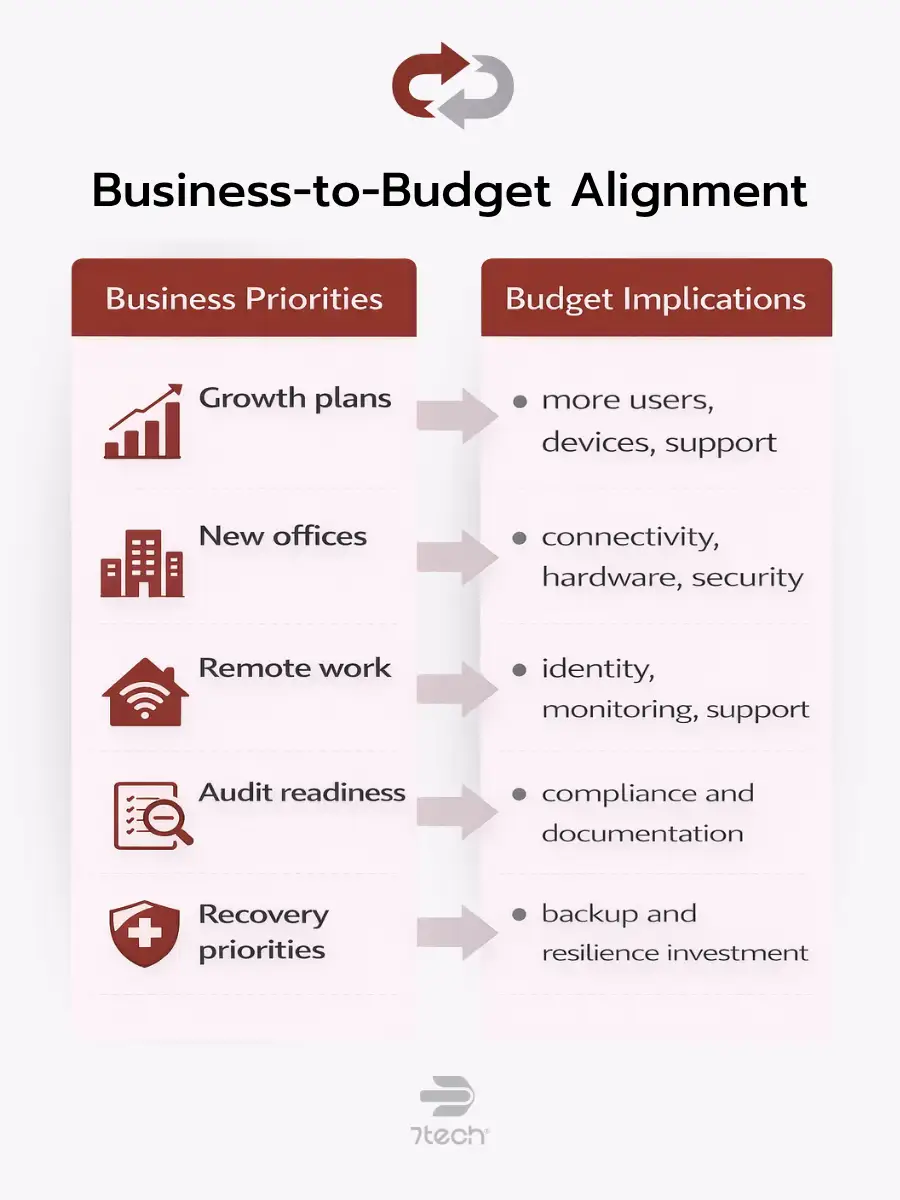
The best technology budget is not the cheapest one. It is the one least likely to create disruption, credibility problems, or preventable last-minute decisions.
Your budget should reflect business strategy in plain terms:
- Growth plans and headcount expansion
- Acquisitions or new offices
- Remote and hybrid work requirements
- Audit readiness and customer security expectations
- Productivity goals
- Resilience and recovery priorities
This is also why some organizations revisit whether to build internally or extend capability through outside support. That discussion should stay focused on coverage, risk, and planning assumptions, not ideology. In some cases, comparing internal IT and outsourced support costs is less about labor math and more about whether the business can maintain the visibility, security, and continuity it expects.
When budget decisions align with business risk and governance priorities, the conversation becomes calmer and more defensible. That is the real value of technology budget planning.
Frequently Asked Questions About IT Budget Planning
What is IT budget planning?
IT budget planning is the process of forecasting technology, support, cybersecurity, compliance, and lifecycle costs so the business can operate with fewer financial surprises.
How much should a growing business budget for IT?
There is no universal percentage or fixed number that fits every business. Budget needs vary based on users, locations, compliance obligations, support model, security requirements, and refresh timing.
What should be included in an annual IT budget?
An annual IT budget should include hardware, software, support, cloud services, cybersecurity, compliance, connectivity, vendor contracts, training, and planned projects.
How often should an IT budget be reviewed?
Quarterly review is the most practical cadence for most growing businesses. It helps catch renewal changes, license drift, project movement, and emerging support patterns before they become bigger problems.
Should cybersecurity have its own budget line?
Yes. Security costs should be visible, even when they are integrated into the broader IT plan. That makes risk-related spending easier to explain and defend.
What is the difference between IT budgeting and IT forecasting?
Budgeting sets planned spending for a defined period. Forecasting looks ahead across longer windows to anticipate refreshes, upgrades, compliance changes, and growth-related costs.
Is an IT budget template enough on its own?
No. A template can organize categories, but it will not replace inventory discipline, lifecycle visibility, vendor review, or quarterly decision-making.
Conclusion
IT budget planning works best when it is treated as an ongoing planning process, not a once-a-year spreadsheet exercise. For growing businesses, the goal is straightforward: clearer assumptions, better forecasting, fewer surprises, and a stronger connection between technology spend and business outcomes.
When the budget reflects support demand, refresh timing, security requirements, compliance obligations, and growth plans, executives are better positioned to make calm, defensible decisions throughout the year.
Review Your Current IT Budget With More Clarity
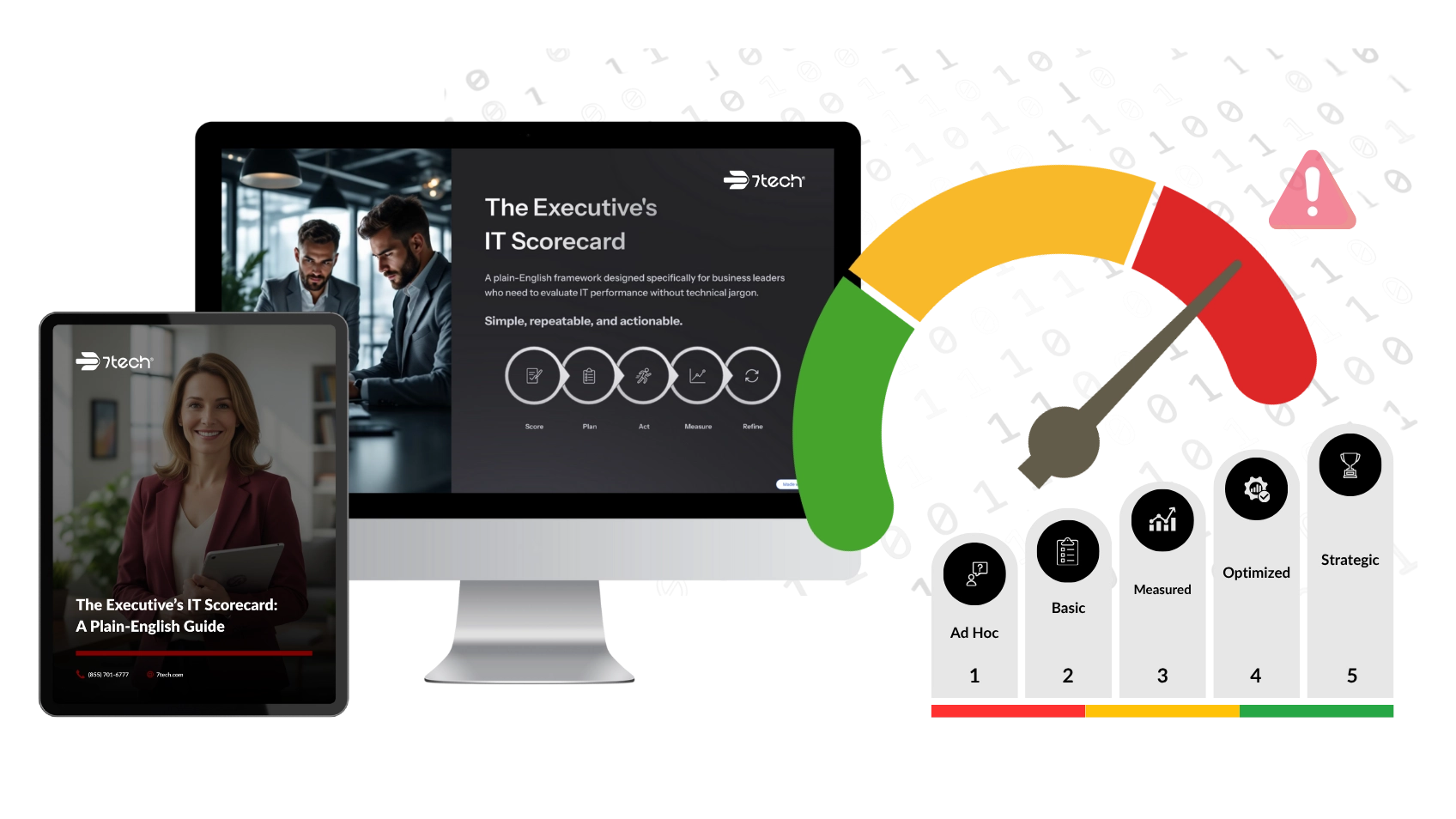
If you want a clearer view of hidden gaps, refresh risk, vendor overlap, and budgeting blind spots, use 7tech’s executive IT scorecard. It is a practical next step for leaders who want better visibility before making their next planning decision.

Neal Juern, CEO of 7tech, helps business leaders take control of their IT and strengthen cybersecurity without the complexity. Known for his straight-talk, business-first approach, Neal has guided hundreds of executives toward smarter, safer operations through Managed IT Services and Managed Security Services that make sense to people outside the IT department.