
What Is Zero Trust Architecture? A Practical Guide for Texas SMBs
Zero Trust Architecture is a security model built on the assumption that no user, device, application, or connection should be trusted automatically, even if it is already inside your network. In practical business terms, it means access is continuously verified, permissions are deliberately limited, and activity is monitored so that a single mistake or stolen credential does less damage.
For Texas SMB leaders, Zero Trust is not about distrusting employees or rebuilding your infrastructure from scratch. It is a framework for reducing unnecessary trust, tightening accountability, and improving defensibility as work, data, and vendors move far beyond the office perimeter. NIST’s Zero Trust Architecture guidance is the standard reference behind that definition.
Why Traditional Perimeter-Based Security Is No Longer Enough
Traditional security assumed that once someone was inside the corporate network, they were probably safe to trust. That model made more sense when most users worked in one office, on company-managed devices, and within a smaller set of internal systems.
That is no longer how most SMBs operate. Today, business systems live in Microsoft 365 and other cloud platforms. Employees work remotely. Vendors connect to systems for support. Leaders approve transactions from mobile devices. Credentials, not office walls, are often the real path to access.
This is one reason network security threats and vulnerabilities now extend well beyond the server closet. Business risk follows identities, devices, sessions, and permissions. Location still matters, but it no longer tells you enough.
Zero Trust responds to that shift by replacing “trusted because you’re inside” with “verified because access has been evaluated.” That is a more realistic model for modern operations.
What Zero Trust Architecture Actually Means for a Business Like Yours
For an executive team, Zero Trust Architecture means your company stops handing out broad, long-lasting access based on assumptions. Instead, access is granted based on who the person is, what device they are using, what they need to do, and whether the request still makes sense.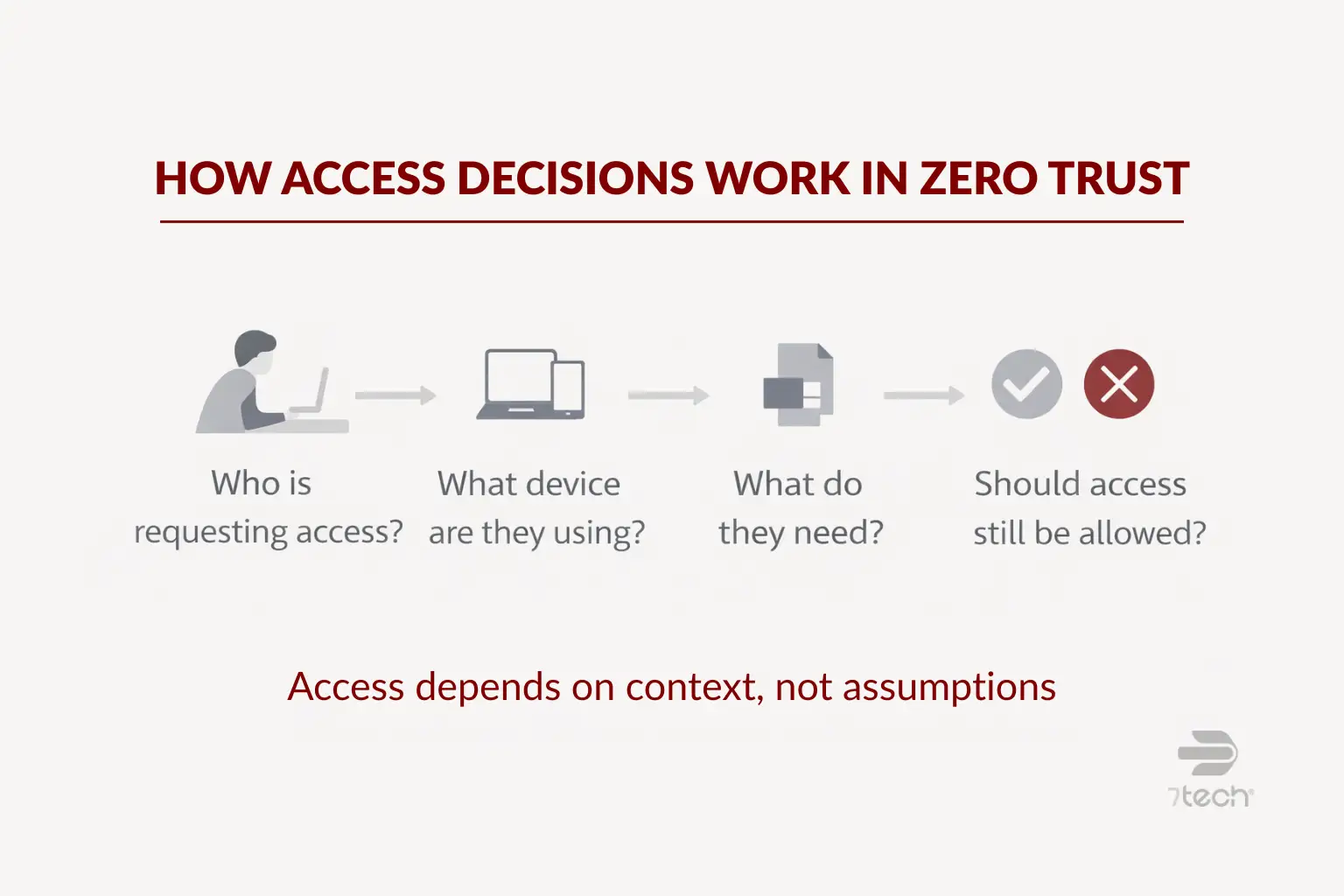
One point matters here: Zero Trust is not a single product. It is not a firewall upgrade, an MFA app, or a software subscription you buy and then “finish.” It is a security framework and operating model.
In practice, that can look like this:
- Your finance team can access accounting systems, but not HR records or infrastructure settings they do not need.
- A remote employee can sign in, but only if their device meets basic security requirements.
- A vendor can reach the one environment they support instead of moving freely across your network.
- Privileged admin access is reviewed, logged, and restricted more tightly than everyday user access.
That is why Zero Trust is better understood as a maturity journey than a rip-and-replace project. CISA’s Zero Trust Maturity Model reinforces that phased approach, which is especially useful for SMBs that need progress without unnecessary disruption.
Core Principles of a Zero Trust Architecture
The core principles are straightforward, even if implementation takes planning. At the center is one idea: trust should be earned and re-evaluated, not assumed once and forgotten.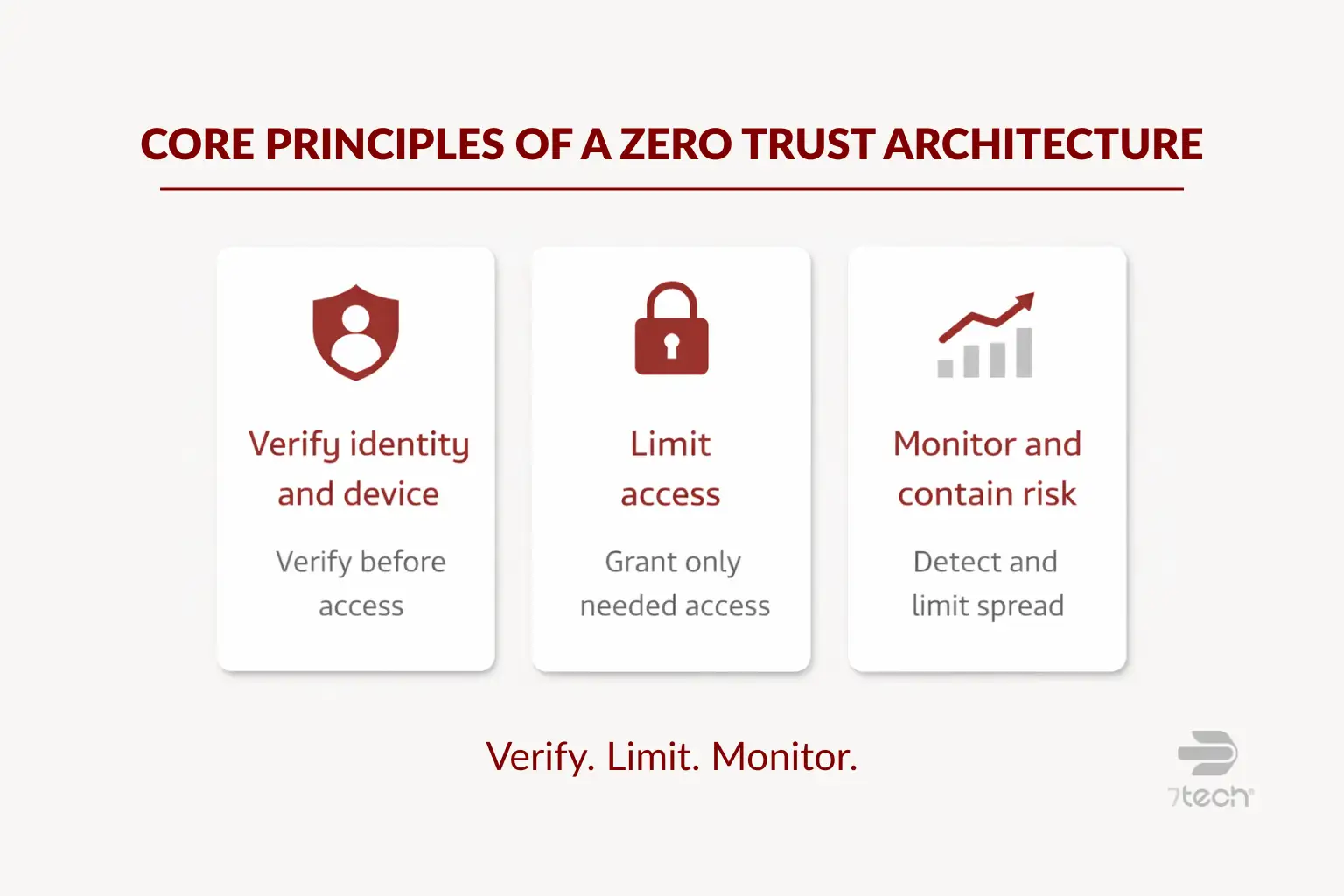
Verify every user and device before granting access
Zero Trust starts with identity-based security. Access decisions are based on verified identity, device condition, context, and policy. A valid password alone is not enough. This is where multi-factor authentication, device checks, and conditional access policies become practical controls rather than just technical features.
For many SMBs, strengthening identity is the most useful first step. If that is part of your roadmap, 7tech’s guide on the benefits of two-factor authentication provides a strong business-level starting point.
Apply least-privilege access across systems
Least privilege means people get the access they need to do their jobs, and little more. That reduces the chance that a compromised account can reach sensitive data, change critical systems, or move into other parts of the environment.
This matters for ordinary users and administrators alike. Over-permissioned accounts are convenient until they are not. In many organizations, access builds up over time through role changes, temporary exceptions, and old vendor relationships. Zero Trust requires that access to be reviewed more intentionally.
Use monitoring and segmentation to limit risk
Zero Trust assumes incidents can still happen, so the goal is to reduce blast radius. If one account, endpoint, or application is compromised, the event should be harder to spread and easier to investigate.
That usually means segmenting critical systems, separating sensitive data, and maintaining consistent logging and review. Continuous visibility also matters. A strong Zero Trust program depends on the ability to spot unusual behavior and respond quickly, which is why threat detection and response supports the model even though it is not the whole model.
Seen another way, Zero Trust works best as part of a layered defense, not as a silver bullet. It fits naturally within the seven business cybersecurity layers that mature organizations use to reduce exposure.
Zero Trust Architecture vs Traditional Security
| Area | Traditional Security | Zero Trust Architecture |
|---|---|---|
| Trust model | Trust often increases after network entry | Trust is evaluated continuously |
| Primary focus | Perimeter and location | Identity, device, session, and policy |
| User access | Broad access is common once authenticated | Access is limited to specific needs |
| Incident impact | Lateral movement can be easier | Segmentation helps contain damage |
| Decision timing | Often evaluated once at login | Re-evaluated as conditions change |
The business takeaway is simple: traditional models often trust too much after initial entry. Zero Trust asks for proof more often and grants less by default. That can reduce exposure from stolen credentials, over-permissioned users, and unchecked vendor access.
Examples of Zero Trust Architecture in Action for SMBs
For SMBs, Zero Trust usually shows up through a set of practical controls rather than a dramatic overhaul.
- MFA is required for Microsoft 365, remote access, and privileged accounts.
- Finance, HR, and operations each use role-based access aligned to actual job responsibilities.
- Conditional access blocks or challenges sign-ins from unknown devices or unusual locations.
- Vendors and contractors receive segmented access to only the systems they support.
- Logging and alerting flag unusual account behavior for review and response.
These are the kinds of actions reflected in FTC small business cybersecurity guidance. They are practical, understandable, and realistic for companies that want stronger control without turning security into an endless science project.
How to Start Moving Toward Zero Trust Without Overhauling Everything
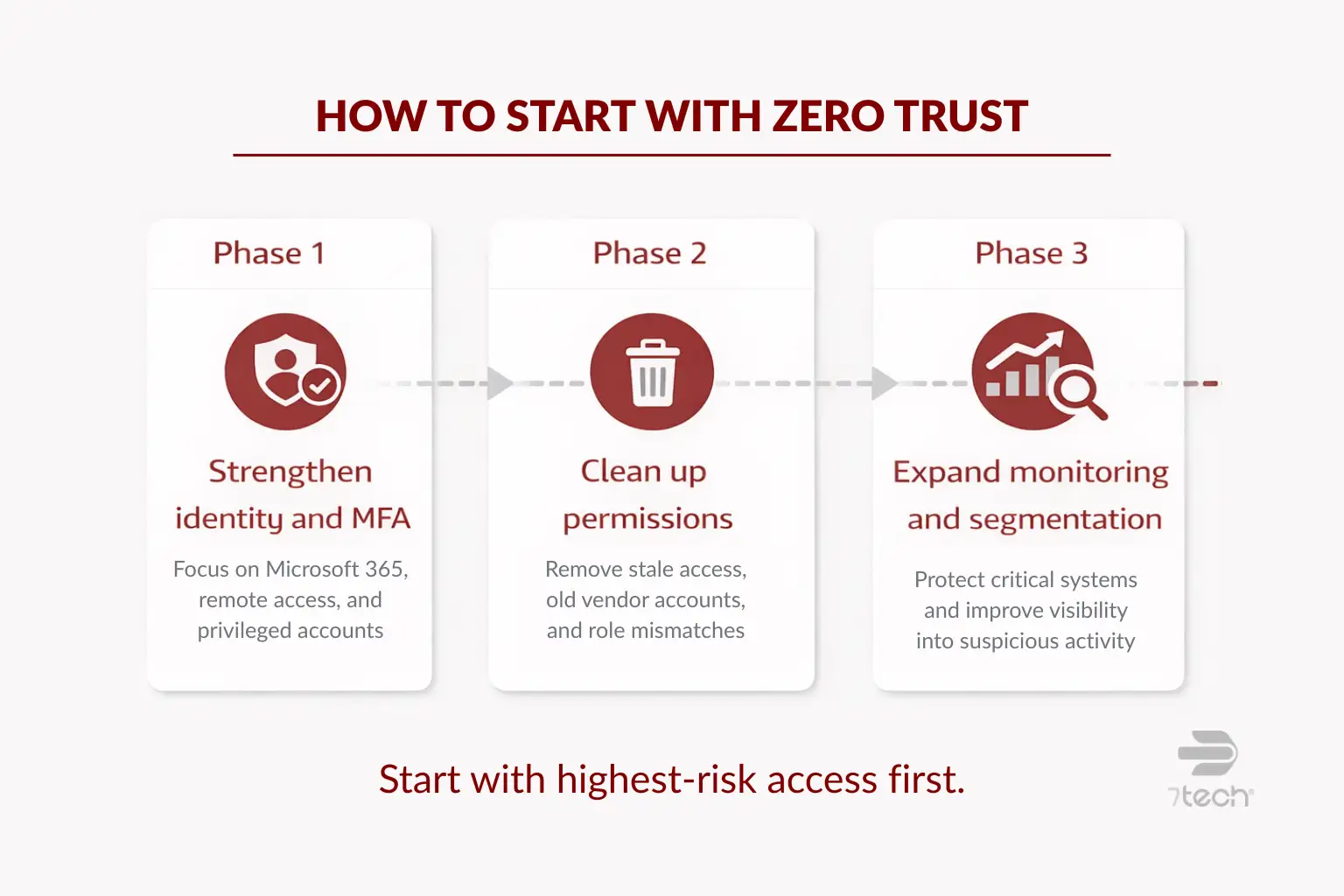
The most effective Zero Trust programs usually start with the highest-risk access paths, not the entire environment at once. That keeps the work practical and business-focused.
Start with identity and access controls
Begin with the accounts that matter most: Microsoft 365, remote access, admin privileges, email, finance systems, and line-of-business applications. Require MFA where it is missing. Review shared accounts. Tighten controls around privileged access. If you are unsure where your exposure is, a structured review such as a cybersecurity assessment checklist can help prioritize next steps.
Reduce unnecessary permissions
Then review who has access to what. Remove stale permissions. Revisit old vendor accounts. Confirm that role-based access still matches actual business duties. This is often less glamorous than buying new tools, but it can produce meaningful risk reduction quickly.
Expand Zero Trust controls in phases
Once identity and permissions are in better shape, segment critical systems, strengthen monitoring, and formalize response workflows. That progression aligns well with the maturity-based approach in CISA guidance and gives leadership a roadmap that is easier to govern.
For many organizations, this is where broader managed security services become relevant. Not because Zero Trust is a product, but because continuous verification, monitoring, and response require consistent operational discipline.
Where Zero Trust Helps with Compliance, Cyber Insurance, and Executive Defensibility
Zero Trust does not guarantee compliance or insurance approval, and it should not be presented that way. What it does offer is a more defensible approach to common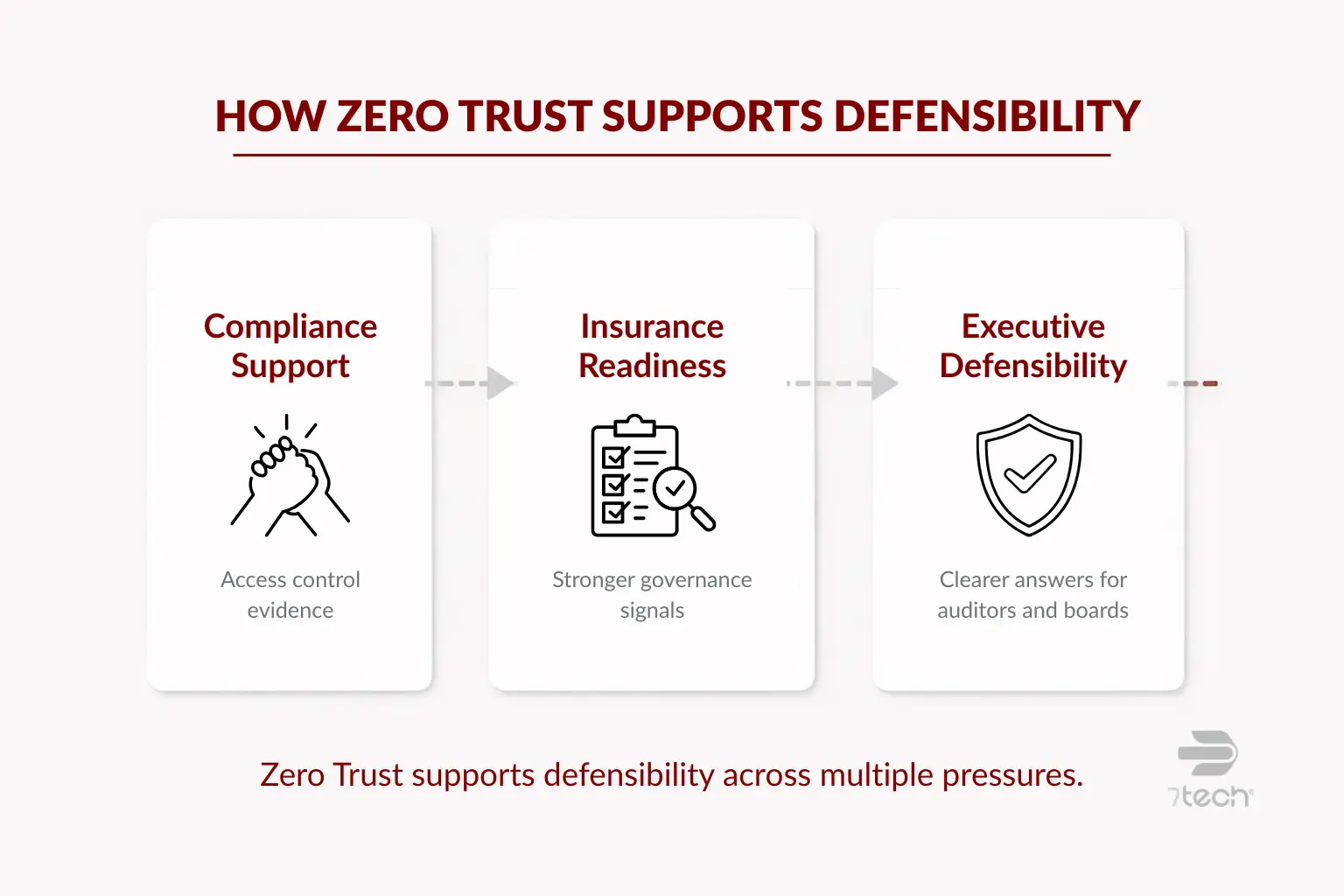 expectations around access control, MFA, logging, privileged access review, and accountability.
That matters when leadership needs to show that security decisions were deliberate and governance was taken seriously. It also supports organizations that must demonstrate stronger control over who can access sensitive systems and data.
For businesses subject to financial data safeguards or similar oversight, FTC Safeguards Rule guidance helps explain why access controls, ongoing oversight, and documented security practices matter. Zero Trust can support those goals without turning the article into a compliance lecture.
In executive terms, this is about defensibility. If a board member, auditor, insurer, or client asks how access risk is being governed, Zero Trust provides a clearer answer than “we trust people once they log in.”
Should You Work with a Local MSSP to Implement Zero Trust?
Some SMBs can handle parts of Zero Trust internally, especially if they already have capable IT leadership and a manageable environment. Internal teams often understand the business workflows, approval chains, and operational realities better than anyone.
Outside support becomes more useful when the challenge is not just technology, but also policy design, phased planning, monitoring coverage, segmentation strategy, compliance alignment, or executive reporting. That is also where virtual CISO services can help by providing roadmap ownership and governance support without requiring a full-time executive hire.
The right MSSP relationship should add clarity and acceleration, not noise. For organizations evaluating that path, it helps to understand what is an MSSP and where outside security operations can strengthen internal capability.
Common Misconceptions About Zero Trust Architecture
- Myth: Zero Trust means trusting no employees.
Reality: It means access is governed by verification and policy, not assumptions. - Myth: Zero Trust requires replacing everything.
Reality: Most SMBs adopt it incrementally using existing platforms and stronger controls. - Myth: Zero Trust is only for enterprises.
Reality: SMBs often benefit quickly because access sprawl and remote work affect them too. - Myth: MFA alone equals Zero Trust.
Reality: MFA is important, but Zero Trust also includes least privilege, monitoring, segmentation, and ongoing validation.
FAQ About Zero Trust Architecture
Is Zero Trust Architecture the same as Zero Trust security?
They are closely related, but not identical. Zero Trust security is the broader approach. Zero Trust Architecture usually refers to how that approach is structured across identities, devices, applications, networks, and policies.
Is Zero Trust realistic for small and mid-sized businesses?
Yes. For SMBs, it is usually implemented in phases by improving identity controls, reducing unnecessary access, segmenting sensitive systems, and strengthening monitoring over time.
What technologies are usually involved?
Common technologies include MFA, identity and access management, conditional access, endpoint security, logging, monitoring, privileged access controls, and segmentation tools. The framework matters more than any one product.
How long does implementation take?
It varies by environment, user count, application mix, and compliance needs. Most businesses begin with high-risk access paths first rather than trying to transform everything at once.
Does Zero Trust replace firewalls and endpoint protection?
No. It complements them. Firewalls and endpoint tools still matter, but Zero Trust adds stronger identity verification, tighter permissions, and more continuous evaluation.
What is the best place for an SMB to start?
Start with identities, MFA, privileged accounts, and permission cleanup. Those steps are often the most practical way to reduce access risk early.
Why Zero Trust Matters for Texas SMBs
Zero Trust Architecture is best understood as a practical direction, not an all-or-nothing rebuild. For Texas SMBs, it offers a clearer way to govern access in a business environment shaped by cloud platforms, remote work, vendor connections, and growing accountability.
The value is not perfection. The value is better visibility, tighter access control, lower trust assumptions, and more defensible security decisions. For executive teams, that is often the difference between hoping controls are adequate and knowing your approach is becoming more disciplined.
Take the Next Step
If you want a clearer view of where access risk is highest in your environment, an executive-level conversation can help you identify priorities before investing in a larger rollout.

Neal Juern, Founder and CEO of 7tech, helps business leaders take control of their IT and strengthen cybersecurity without the complexity. Since founding 7tech in 2012, he’s built it into a 5X MSP 501 winner and guided hundreds of executives toward smarter, safer operations through Managed IT Services and Managed Security Services that make sense to people outside the IT department. He speaks regularly to executive and nonprofit audiences across Texas.