Q4 IT Checklist for Nonprofits: 5 Things to Review Before Year-End
A Q4 IT checklist for nonprofits should answer one practical question: Is your technology ready to support year-end fundraising, programs, reporting, security, and budget priorities without creating unnecessary cost or risk?
Before Q4 gets busy, review the systems your organization depends on, upcoming technology expenses, user access and permissions, backup and recovery readiness, and your year-end IT plans. Addressing these areas early can reduce unexpected costs, avoid preventable disruptions, and give leadership greater confidence heading into the final quarter.
For most nonprofit leaders, Q4 doesn’t exactly arrive quietly.
Year-end fundraising ramps up. Programs need to finish strong. Grant deadlines approach. Budgets are being finalized. The board wants updates. Staff members are trying to use their remaining PTO.
And somewhere in the middle of all that, your technology still has to work.
That’s why September is a useful time to look at the technology your organization depends on before the year-end rush begins.
You don’t need to overhaul everything. And you certainly don’t need to spend money on technology simply for the sake of having more technology.
You need clarity about what actually matters.
That means identifying the gaps that could interfere with your mission, put sensitive information at risk, create an unexpected expense, or leave your staff scrambling at exactly the wrong time.
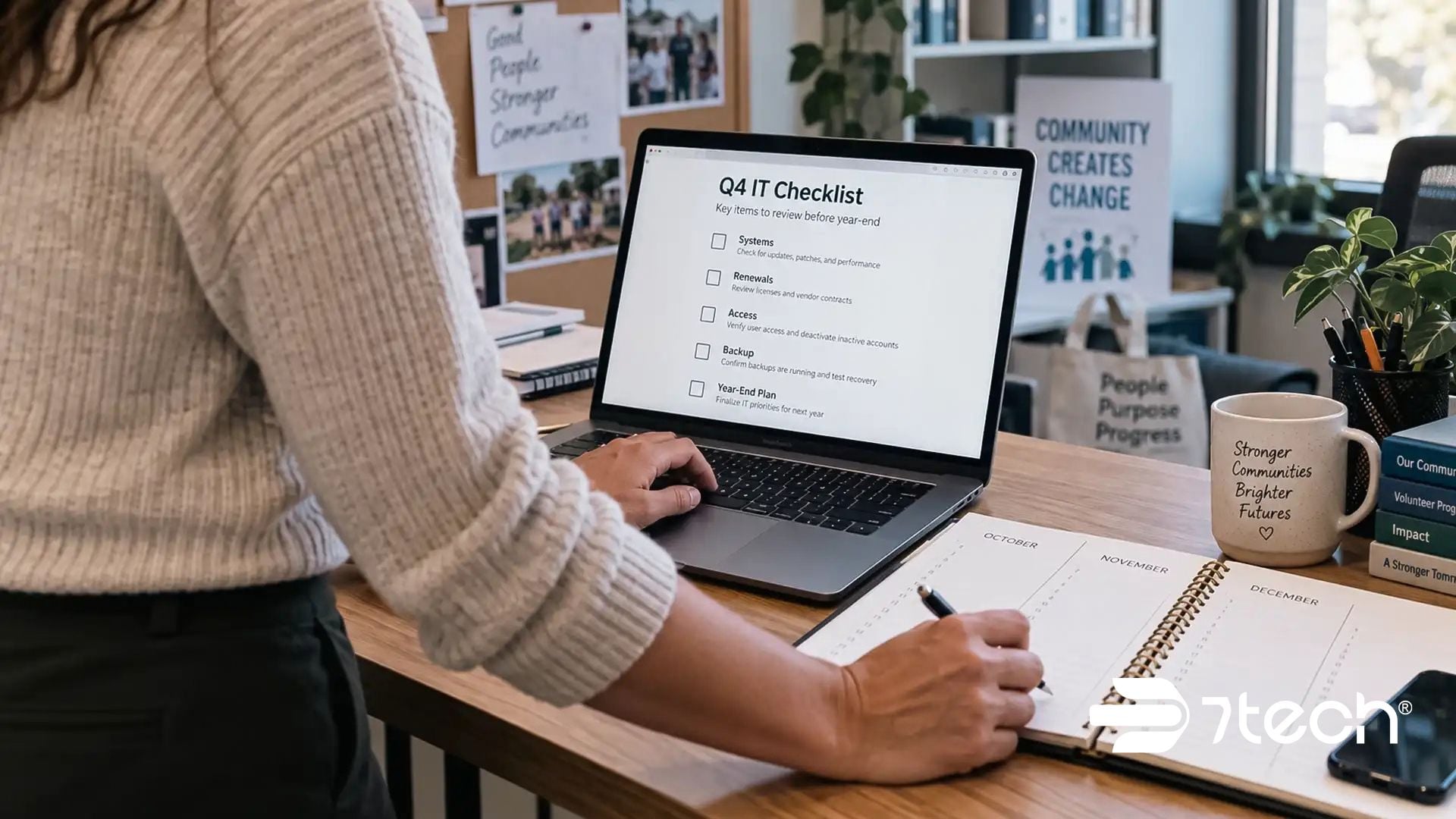
Executive Q4 IT Checklist for Nonprofits
Before the fourth quarter begins, leadership should be able to answer five questions:
- Can our technology reliably support our year-end fundraising, programs, and reporting priorities?
- Do we know which IT expenses, renewals, and hardware decisions are coming?
- Does employee, volunteer, contractor, and vendor access reflect current roles and responsibilities?
- Could we recover critical operations if important systems or information became unavailable?
- Does our IT partner understand what the organization needs to accomplish before year-end?
If any answer is unclear, September is an opportunity to resolve it before uncertainty becomes urgency.
A broader IT support for nonprofit organizations strategy can help leadership connect these individual Q4 questions to year-round technology, security, and operational priorities.
1. Make Sure Your Technology Can Support Your Year-End Priorities
Start with the mission, not the technology.
What absolutely needs to happen between now and December 31?
Maybe you’re preparing for a major year-end fundraising campaign. Maybe grant reporting deadlines are approaching. Programs may be entering their busiest season. Or perhaps your team is preparing next year’s budget and strategic plan.
Once those priorities are clear, ask a second question:
Could a technology problem get in the way?
Consider the systems your staff relies on to communicate, serve clients, process donations, access files, collaborate, and report results.
Are they reliable?
Do employees have access to what they need?
Have responsibilities changed without technology access changing with them?
Are there recurring problems your staff has simply learned to work around?
A small technology frustration in September can become a major operational headache when staff members are stretched thin in November.
For executives, the issue is not simply whether the technology works today. It is whether the technology can support what the organization has committed to delivering through year-end.
That makes nonprofit fundraising technology readiness and broader nonprofit IT readiness leadership concerns, not simply technical ones. CISA’s Cyber Essentials similarly frames cybersecurity readiness around leadership, organizational risk, systems, access, and recovery.
The goal isn’t perfect technology.
It’s making sure technology supports the mission without becoming another mission your leadership team has to manage.
For organizations that want a more systematic view of those dependencies, a nonprofit technology audit can help identify risks and priorities that may otherwise remain hidden until year-end pressure exposes them.
2. Review Your IT Budget, Renewals, and Aging Technology
Every technology dollar competes with something else your organization could fund.
Nonprofit leaders understand that better than almost anyone.
That makes surprise IT expenses especially painful.
Before budgets are finalized and schedules tighten, create visibility into what could be coming over the next several months.
Review software and Microsoft 365 renewals, aging computers, expiring warranties, cybersecurity needs, backup systems, upcoming projects, vendor contracts, and technology that may need to be replaced next year.
Then ask:
Are we investing in the right things, not simply more things?
You may discover software licenses nobody uses. You may find old equipment that has become a reliability or security concern. Or you may uncover a technology expense that should be included in next year’s budget rather than becoming an unexpected request to the board later.
Executives should also understand why significant IT expenses are necessary. Technology spending should connect to an organizational requirement such as staff productivity, information security, compliance, continuity, fundraising, program delivery, or growth.
This is where disciplined nonprofit IT budget planning can turn a year-end technology checklist into a more useful planning tool for next year.
The objective is not simply to spend less.
It is to make technology costs more predictable, understand what genuinely deserves investment, and identify what may no longer be necessary.
A technology expense is much easier to explain to the board when leadership understands why it matters and can show that it is part of a thoughtful plan instead of an emergency.
That’s good stewardship.
3. Clean Up Accounts, Access, and Permissions
Nonprofits change constantly.
Employees leave. New people join. Volunteers come and go. Staff members change roles. Contractors and vendors finish projects.
But technology access doesn’t always keep up.
That can leave former employees with active accounts, staff members with access they no longer need, shared passwords nobody has thought about in years, or important systems without clear ownership.
Before year-end, review who has access to your organization’s critical information.
Pay particular attention to systems containing:
- Donor and payment information
- Client or beneficiary information
- Financial records
- Employee information
- Grant and funder documentation
- Email and cloud files
Ask whether each person still needs the access they have today.
A nonprofit user access review should also consider how accounts are created, modified, and removed as employees, volunteers, contractors, and vendors move through the organization. The FTC’s guidance on controlling access to data recommends limiting access to sensitive information based on business need, while CISA and NSA provide additional identity and access management best practices.
Leadership should not discover during a security incident or staff transition that sensitive information remained accessible to someone who no longer needed it.
This may feel like basic housekeeping, but it’s an important part of responsible stewardship.
Your organization has been entrusted with information about donors, employees, clients, and the people you serve. Making sure that information is appropriately protected is part of protecting the organization behind your mission.
Access cleanup can also be considered alongside other overlooked technology habits for nonprofits and a broader cybersecurity assessment checklist when evaluating year-end technology risk.
4. Make Sure Your Backup and Recovery Plan Actually Works
September is National Preparedness Month, making it a natural time to review how the organization would respond to an unexpected disruption.
A backup is important, but business recovery requires more than having copies of data.
A cyberattack isn’t the only thing that can interrupt your organization. A failed computer, accidental deletion, damaged equipment, power outage, or cloud service problem can create serious disruption too.
Ask what would happen if an important system or critical information became unavailable tomorrow.
Who would make decisions during the outage? Which systems and files would need to be restored first? How would employees communicate if normal tools were unavailable? Could critical programs and services continue?
Most importantly, has anyone actually tested the recovery process?
Review your current backup and recovery processes and confirm:
- Critical organizational data is being backed up as intended.
- Backup systems are being monitored and managed.
- Recovery responsibilities are clearly assigned.
- The recovery plan reflects your current technology environment.
- The people responsible for executing the plan understand their roles.
Effective nonprofit backup and recovery planning is part of broader business continuity planning for nonprofits. Ready.gov’s IT disaster recovery plan guidance also recommends developing technology recovery strategies around restoring hardware, applications, and data in time to meet operational recovery needs.
The real question is not simply, “Do we have backups?”
It is:
“How quickly can we restore what the organization depends on and get people working again?”
A recovery plan should create clarity under pressure. If your leadership team would have to figure out the plan during the disruption, the plan is not ready.
It is also worth challenging the backup assumptions nonprofit leaders make before an actual outage reveals a gap between having backups and being able to recover from them.
During an actual incident, leadership should be focused on protecting people and keeping the mission moving, not trying to build a technology recovery plan for the first time.
5. Have a Strategic Conversation With Your IT Partner
A strategic IT partner should understand more about your nonprofit than what is sitting in the support queue.
Use September to discuss where the organization is going through year-end and what technology needs to make possible.
Talk about upcoming programs, staffing changes, fundraising initiatives, grant requirements, compliance obligations, budget concerns, security priorities, major renewals, and projects planned for the months ahead.
Then ask a broader question:
What technology issue could surprise leadership between now and year-end?
That question can reveal risks that do not appear in a help desk report but still matter to the organization.
A good technology partner should help turn IT, cybersecurity, and compliance complexity into priorities leadership can understand and evaluate.
That conversation might uncover aging equipment that should be budgeted for next year.
It might reveal security gaps that need attention.
It might identify unused technology you’re paying for.
Or it may confirm that you’re adequately prepared and don’t need to make additional investments right now.
Either way, you leave the conversation with something every nonprofit executive needs more of:
Clarity.
Thoughtful nonprofit IT planning and nonprofit IT governance also require clarity about service-provider responsibilities. The FTC recommends setting clear security expectations for service providers and taking reasonable steps to determine whether those expectations are being met.
Organizations evaluating the role of an outside technology partner can also review the benefits of managed IT for nonprofits, particularly when internal teams need broader support across IT operations, cybersecurity, and planning.
The nonprofits that get the most value from an IT partner treat the relationship as part of organizational planning rather than something they use only when technology fails.
What Nonprofit Executives Should Know Before Q4 Begins
You do not need to personally understand every technical detail in your organization. You do need enough visibility to make responsible decisions.
By the start of Q4, leadership should understand what technology the organization depends on, where meaningful risks exist, what major expenses are approaching, and who is accountable when something goes wrong.
That visibility matters because technology problems rarely remain technology problems.
An outage can interrupt fundraising or program delivery. Weak access controls can put sensitive information at unnecessary risk. Unplanned purchases affect already-constrained budgets. Poor recovery preparation can turn an interruption into a prolonged operational problem.
A strong Q4 IT review turns those unknowns into decisions that can be made while there is still time to act.
That is the purpose of nonprofit technology risk management and a nonprofit year-end technology checklist: giving leadership enough visibility to prioritize risks, resources, and responsibilities before year-end pressure limits its options. Nonprofit leaders who want to pressure-test those decisions can also use these preparedness questions for nonprofit leaders as a companion to the Q4 review.
Frequently Asked Questions About a Q4 IT Checklist for Nonprofits
What should nonprofits include in a Q4 IT checklist?
A Q4 IT checklist for nonprofits should cover mission-critical systems, upcoming technology expenses and renewals, aging hardware, user access, sensitive information, cybersecurity, backups, recovery plans, and technology priorities that must be completed before year-end.
Together, these areas form a practical nonprofit cybersecurity checklist and year-end readiness review without turning the process into a purely technical exercise.
When should nonprofits complete their Q4 IT review?
September is an ideal time because it gives leadership time to identify and address technology gaps before fundraising campaigns, grant deadlines, budget decisions, holidays, and year-end operational demands compete for attention.
Why should nonprofit executives participate in a Q4 IT review?
Executives provide the organizational context IT teams need. Leadership can identify fundraising priorities, program commitments, budget constraints, grant requirements, and operational risks so technology decisions support the mission rather than being made in isolation.
What technology expenses should nonprofits review before year-end?
Review software and Microsoft 365 renewals, warranties, aging computers, vendor contracts, cybersecurity investments, backup requirements, and planned technology projects. Early visibility helps leadership budget intentionally and reduces the likelihood of unexpected year-end expenses.
What user access should nonprofits review before Q4?
Confirm that employees, volunteers, contractors, and vendors have permissions appropriate to their current responsibilities and that former users no longer have access. Pay particular attention to systems containing donor, financial, employee, client, or beneficiary information.
How should nonprofits evaluate backup and recovery readiness?
Confirm that critical data is backed up, backups are monitored, and recovery responsibilities are documented. Leadership should also know which systems and information must be restored first and how essential services will continue if normal technology becomes unavailable.
That nonprofit business continuity planning should connect technology recovery priorities to the programs, fundraising activities, communications, and other services the organization must continue delivering.
What should nonprofits discuss with their IT provider before year-end?
Discuss year-end priorities, unresolved technology risks, upcoming renewals, aging equipment, cybersecurity, compliance obligations, backup and recovery readiness, and technology investments required to support next year’s programs, fundraising, staffing, and operational plans.
Protect the Organization Behind Your Mission
Your organization exists to make a difference.
Technology exists to help your people do that work.
The goal of a Q4 technology review isn’t to create another project for an already-busy leadership team. It’s to make sure your organization has the technology and security capabilities it actually needs without wasting limited resources on things it doesn’t.
A little preparation now can help you enter Q4 knowing your staff can work, sensitive information is appropriately protected, your budget is better prepared, and your leadership team understands what deserves attention.
That is ultimately what effective nonprofit technology planning for year-end should accomplish: clearer priorities, fewer preventable surprises, and technology decisions that support the mission rather than compete with it.
Because protecting the organization behind your mission is part of protecting the mission itself.
Not sure what deserves attention before year-end? Schedule a 15-minute discovery call! We’ll start with your mission, people, and operational priorities, then help identify what needs attention, where meaningful technology and security gaps may exist, and what can wait so you can enter the year-end season with clearer priorities and spend more of your attention advancing the mission.

Neal Juern, Founder and CEO of 7tech, helps business leaders take control of their IT and strengthen cybersecurity without the complexity. Since founding 7tech in 2012, he’s built it into a 5X MSP 501 winner and guided hundreds of executives toward smarter, safer operations through Managed IT Services and Managed Security Services that make sense to people outside the IT department. He speaks regularly to executive and nonprofit audiences across Texas.