
Construction Company IT Budget Planning Guide
A construction company IT budget should cover more than office computers and software licenses. It should account for jobsites, field devices, connectivity, project software, cybersecurity, backup and recovery, vendor coordination, and growth across changing locations. In construction, a defensible budget is built around operational realities, not a generic benchmark borrowed from an office-based business.
That matters because construction firms rely on a mix of office staff, field teams, supervisors, remote access, temporary sites, and time-sensitive project data. The right budget depends on how your people work, what systems they rely on, how much downtime you can tolerate, and what level of security and oversight your business requires.
If you are building this plan for the next budget cycle, it helps to start with a construction-specific lens rather than a generic IT budget planning framework. It can also help to understand where construction managed IT services often support firms with multiple sites, field users, and vendor coordination demands.
How Much Should a Construction Company Spend on IT
The short answer is this: a construction company should spend enough on IT to support secure operations, field productivity, recovery readiness, and predictable growth. That is more useful than forcing the discussion into a single percentage.
For executives, the better question is not “What benchmark should we hit?” It is “What does our operation require to stay productive, secure, and supportable across offices and jobsites?”
A practical budget model should account for:
- Office staff and their day-to-day systems
- Field staff, supervisors, and shared jobsite access
- Temporary and permanent locations
- Project management and financial software dependencies
- Downtime tolerance for project schedules, payroll, and communication
- Client, insurance, or compliance expectations
- Support coverage across devices, vendors, and locations
A defensible budget is category-based rather than guess-based. Define what must be funded in each area, assign ownership, and review it on a predictable cadence.
What Makes a Construction Company IT Budget Different
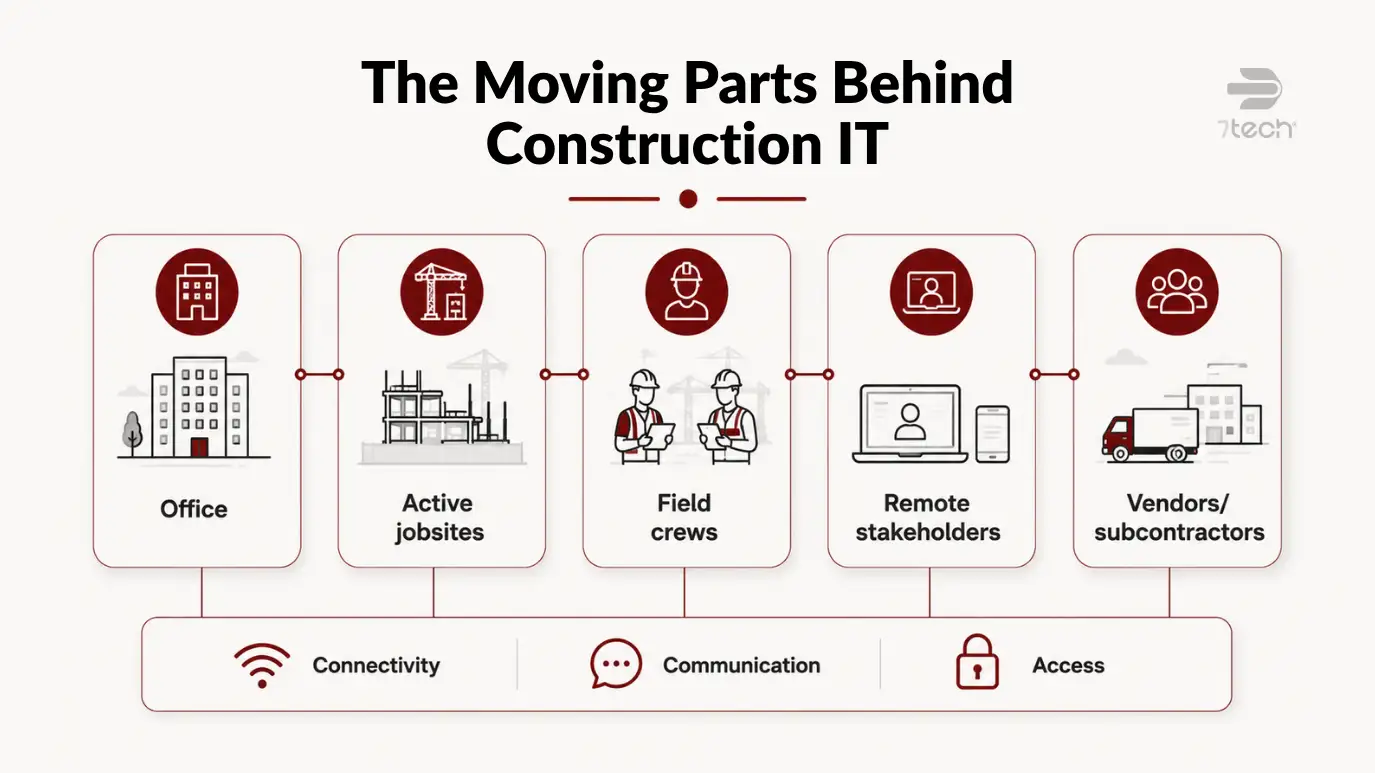
Construction has cost drivers that many general small-business budgeting guides miss. A contractor may have an office, several active jobsites, remote project stakeholders, and a changing mix of employees, subcontractors, and vendors who all depend on timely information.
Seasonal project swings can change staffing patterns and support demand. Temporary sites create short-term connectivity and equipment needs. Field teams often rely on mobile access to plans, schedules, approvals, and documentation. When that access fails, the cost is not just inconvenience. It can affect project coordination, billing, rework, and leadership visibility.
Industry sources also reinforce that jobsite connectivity is its own challenge, not a simple extension of office networking. AEM on jobsite connectivity challenges is a useful reminder that changing field conditions and site realities deserve their own budget line items.
Unique IT Costs in Construction Firms
Most construction IT budget planning problems come from underestimating a few recurring categories. When these are treated as afterthoughts, budgets tend to drift into emergency spending. 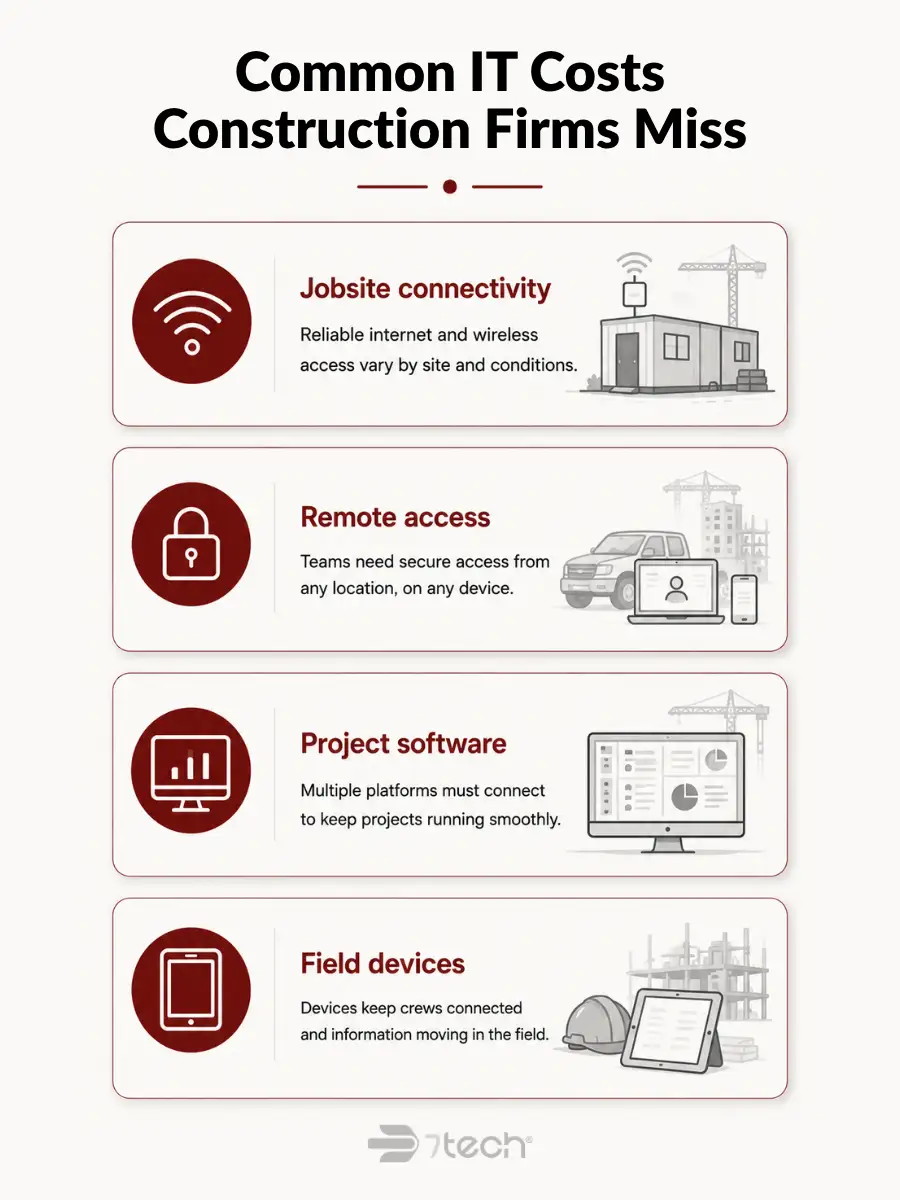
Jobsite connectivity and temporary site setup
Many construction business IT costs begin at the site level. Temporary internet access, wireless equipment, network setup, and changing field conditions all affect what a site needs and how long that need lasts.
Budget for:
- Temporary internet or wireless failover
- Basic site networking equipment
- Setup and teardown labor
- Troubleshooting when connectivity quality changes by location
- Coordination between telecom, site leadership, and IT support
These costs are easy to miss because they may look temporary. In practice, they often repeat from project to project.
Mobile workforce and remote access
Construction teams rarely work from one desk in one building. Superintendents, project managers, estimators, and executives often need secure access from jobsites, vehicles, homes, and customer locations.
That creates both support and security requirements. A budget should include remote access tools, identity controls, multifactor authentication, device support, and clear expectations for how field users get help when they are not in the office. Secure remote access should be planned as an operating necessity, not handled ad hoc after a problem appears.
Project management software and workflow friction
Software costs are not limited to license counts. Construction firms often have workflow dependencies across project management platforms, accounting systems, document storage, estimating tools, communications tools, and vendor portals.
Budgeting needs to account for integration points, user support, permissions, onboarding, and the productivity drag created by poorly connected systems. Workflow friction is a budgeting issue because it increases support load, slows decisions, and creates hidden labor costs. If your team is feeling that strain inside project software, the discussion in why Procore feels stressful may help explain why the issue is often operational, not just technical.
Field devices, tablets, phones, and lifecycle replacement
Construction firms rarely have one simple device profile. Office staff may use laptops or desktops. Field staff may use tablets, phones, shared devices, or rugged equipment that faces higher breakage risk.
Your construction IT costs per employee will be more accurate if you budget by role and environment. Include:
- Device type by user role
- Protective accessories and ruggedization where needed
- Breakage and loss assumptions for field use
- Refresh timing for aging equipment
- Setup, replacement, and mobile device management
This is one of the clearest examples of why a flat per-user number can mislead executives.
Cybersecurity Risks That Belong in a Construction Company IT Budget
Cybersecurity should not sit outside the budget as an optional add-on. In construction, field access, email compromise, shared files, vendor relationships, and mobile devices all create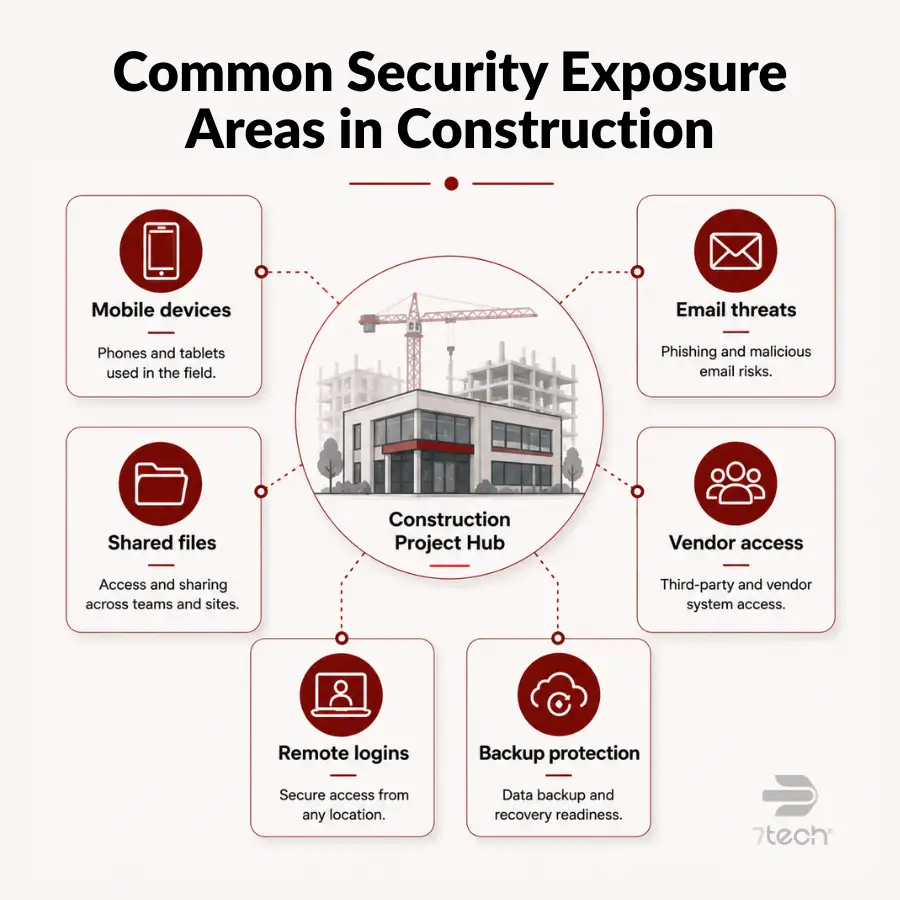 exposure that can interrupt operations and complicate client trust.
A construction cybersecurity budget should usually include these categories:
- Endpoint protection for laptops, tablets, and phones
- Multifactor authentication and identity controls
- Email security and monitoring
- Security awareness training for employees
- Backup protection and backup validation
- Incident response readiness
- Ongoing monitoring and vulnerability review
This is not about turning the article into a full cyber explainer. It is about acknowledging that without security funding, the rest of the IT budget becomes less reliable. For executive baseline planning, CISA cybersecurity guidance for small businesses is a practical external reference.
Budgeting for Backup and Disaster Recovery
Backup and disaster recovery are related, but they are not the same thing. Backup answers whether copies of data exist. Disaster recovery answers how the business restores critical systems, in what order, how quickly, and with whose support.
For construction firms, that distinction matters because lost access to drawings, contracts, schedules, project communications, or payroll data can disrupt operations well beyond the IT function. Recovery readiness is a business continuity issue, not just a storage decision.
Construction firms should budget recovery planning around the information that keeps projects moving:
- Drawings and project files
- Contracts and change documentation
- Schedules and project communications
- Accounting and payroll data
- Cloud platforms and shared file environments
Executives should ask:
- What systems must be restored first?
- How often are backups tested, not just reported?
- What data is stored offsite or in the cloud?
- What support is available during an actual restoration event?
- What downtime would be acceptable for finance, project operations, and leadership reporting?
Those questions belong in the budget because the cost of IT downtime is usually felt far beyond the IT department. It affects schedules, cash flow, coordination, and customer confidence.
How to Estimate IT Costs Per Employee in Construction
Per-employee budgeting can be useful, but only if you avoid treating every employee the same. In construction, role-based budgeting is more accurate than one flat number.
If you need a simpler planning formula, use this sequence:
- Group users by role, not by headcount alone.
- List the device, software, support, and security needs for each role.
- Add site-level costs that are shared across projects or locations.
- Add lifecycle refresh and contingency categories.
- Review the model quarterly as projects, staffing, and software change.
That approach gives executives a stronger basis for discussing budget priorities with finance, operations, and IT leadership.
Planning IT for Growth and Multi-Site Projects
Growth tends to expose weak assumptions. A budget that works for one office and one field team may not hold up when you add jobsites, a second location, acquisitions, or a larger subcontractor ecosystem.
Planning for multi-site construction IT means standardizing the basics before growth creates complexity. That includes onboarding, device setup, access controls, connectivity standards, software permissions, and support expectations. Without those standards, every new site becomes a custom exception.
The budget should support repeatable operations as the business scales, with standards that make support, accountability, and forecasting easier across sites.
How to Avoid IT Budget Overruns in Construction
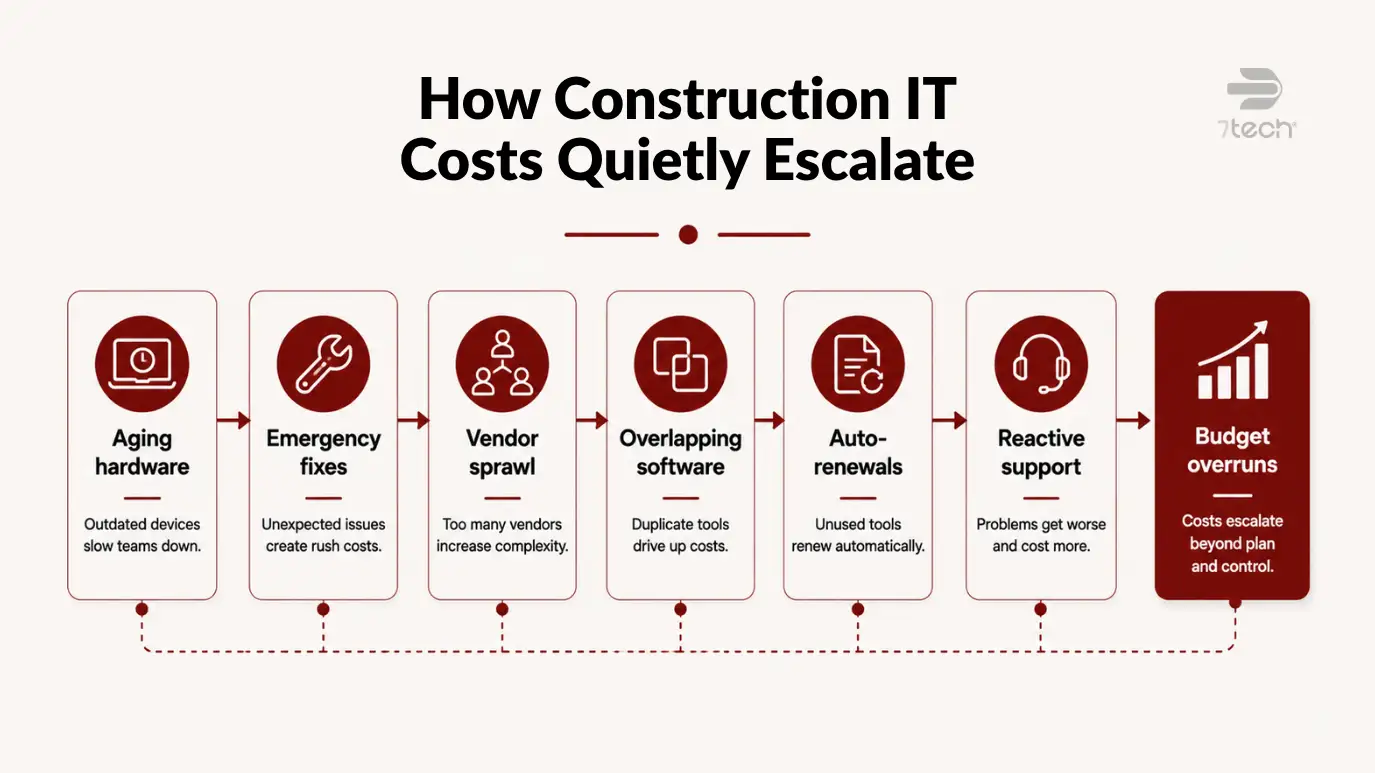
Most overruns are not caused by one large surprise. They usually come from a pattern of smaller misses:
- Emergency fixes that should have been planned work
- Outdated hardware that fails at the wrong time
- Fragmented software and overlapping subscriptions
- Unmanaged telecom, hardware, and software vendors
- Reactive support instead of scoped, predictable support
- Renewals that auto-continue without review
- Unclear billing or service boundaries
To reduce surprises, assign ownership for each budget category, track renewals in one place, define support scope clearly, and review the budget quarterly instead of once a year. That is why overruns tied to renewals, overlapping vendors, and unclear support boundaries often surface late, after leadership assumes key costs are already understood.
A Simple Construction Company IT Budget Checklist
Before you finalize the budget, confirm that these categories have been reviewed:
- Connectivity for office, field, and temporary jobsites
- Devices for office staff, field teams, shared-site use, and leadership
- Software licenses, integrations, and workflow dependencies
- Cybersecurity tools, training, and identity controls
- Backup storage, restoration support, and recovery testing
- Help desk coverage and after-hours support expectations
- Vendor management across telecom, hardware, and software providers
- Growth projects such as new sites, acquisitions, or cloud migrations
- Reserve funds for refreshes, transitions, and unplanned replacement needs
A useful budget is not just approved. It should be reviewable, defensible, and aligned to how the company actually operates.
Frequently Asked Questions
What should a construction company include in its IT budget?
It should include connectivity, devices, software, cybersecurity, backup and recovery, support, vendor coordination, and growth-related projects. Construction firms also need to account for temporary jobsites and field access, not just office systems.
How is a construction IT budget different from a general small business IT budget?
Construction budgets have additional cost drivers such as temporary sites, mobile workforces, shared field devices, project software complexity, and changing connectivity needs. Those variables make role-based and site-based planning more reliable than a generic office model.
Should field devices be budgeted separately from office hardware?
Yes. Field devices often have different replacement cycles, support needs, breakage risk, and security requirements. Budgeting them separately gives executives a clearer view of where mobile operations affect spend.
How often should a construction company refresh IT equipment?
Refresh timing depends on device type, usage intensity, field conditions, and supportability. The better practice is to define replacement standards by role and environment rather than waiting for failures to dictate spending.
Is cybersecurity part of the IT budget or a separate cost?
For planning purposes, cybersecurity should be treated as part of the IT budget. It directly affects uptime, remote access, email security, backup integrity, and operational continuity.
How do multi-site projects affect IT budgeting?
They increase the need for standardized onboarding, connectivity planning, device readiness, support coordination, and access control. Multi-site growth usually increases complexity faster than many annual budgets assume.
Next Step for Executives Reviewing Their IT Budget
If your current budget feels incomplete, the next step is clarity.
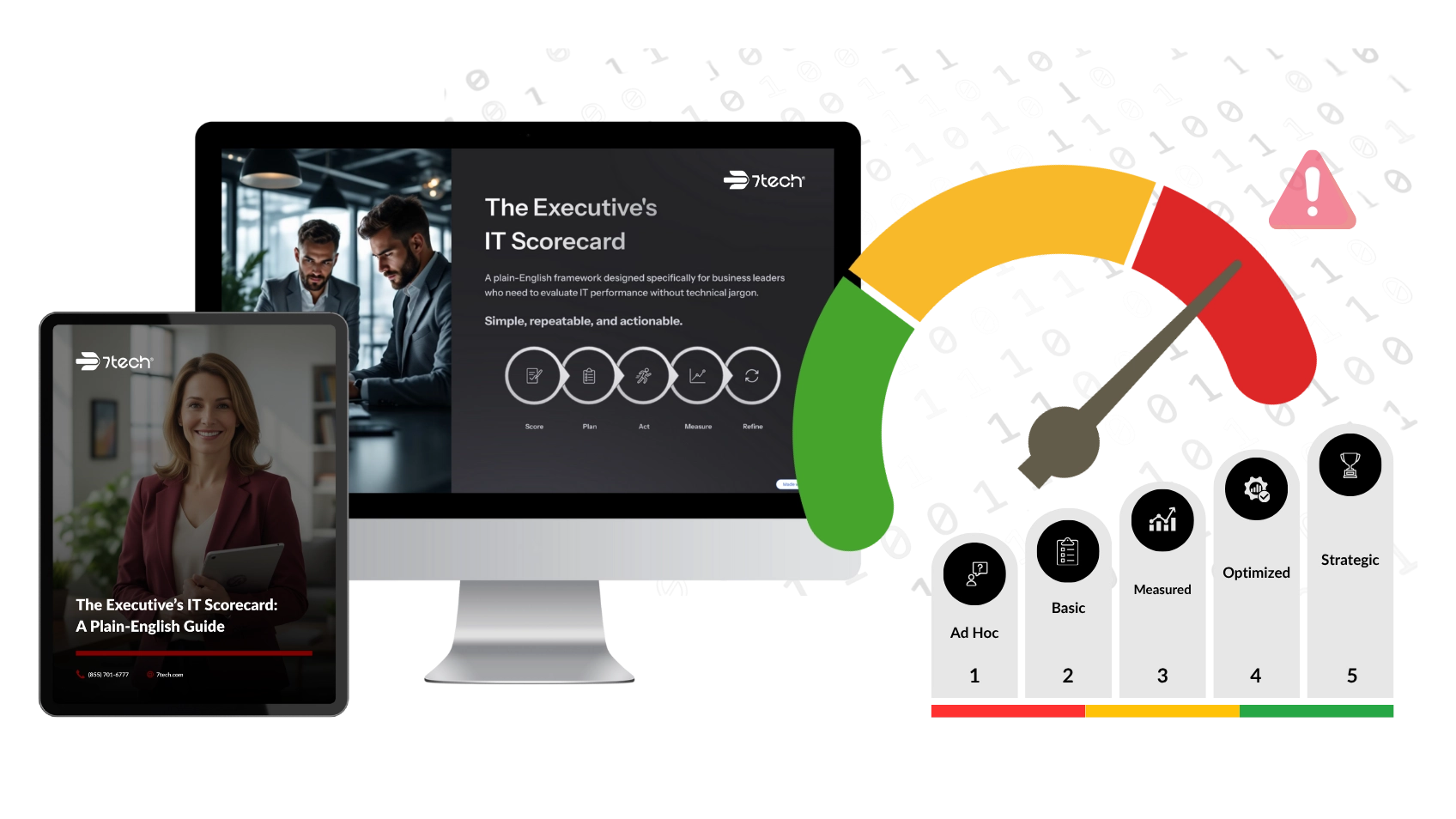
Before the budget is locked, a practical next move is to request an executive IT scorecard. It can help identify budget blind spots, risk gaps, and planning priorities in plain language, so leadership can make cleaner decisions with more confidence.

Neal Juern, Founder and CEO of 7tech, helps business leaders take control of their IT and strengthen cybersecurity without the complexity. Since founding 7tech in 2012, he’s built it into a 5X MSP 501 winner and guided hundreds of executives toward smarter, safer operations through Managed IT Services and Managed Security Services that make sense to people outside the IT department. He speaks regularly to executive and nonprofit audiences across Texas.